TL;DR
- Botdog is a cloud-based LinkedIn automation tool starting at $35/account/month (billed annually), but the true month-to-month entry is $69/month.
- On safety, Botdog leans on randomized delays and sending locked to business hours (8 AM to 7 PM), and backs it with a full refund if your account gets suspended.
- Even the Starter plan includes unlimited connection requests, messages, voice notes, and sequences, but AI personalization is gated behind the $49/mo Professional + AI tier.
- Botdog's hard ceiling: no native cold email and no coordinated multi-account sender rotation. One account, one LinkedIn channel.
- The free trial is 7 days, no credit card required, and annual plans require a non-refundable $420+ prepayment for the headline rate.
- Choose Botdog for simple, safe, LinkedIn-only outreach on a single account; choose SalesRobot when you need LinkedIn plus email in one sequence, or you're managing multiple accounts.
👉 Outgrowing LinkedIn-only? SalesRobot runs LinkedIn and email sequences from one platform. Try free for 14 days.
You Found Botdog. Now You Need to Know If It'll Actually Work, or Get You Banned.
Picture this: it's 9 PM on a Friday, your pipeline looks thinner than a startup's break room coffee, and your LinkedIn inbox is a graveyard of template DMs nobody answered.
You've already decided the manual copy-paste grind isn't scaling. So you searched, and three different people told you to just use Botdog.
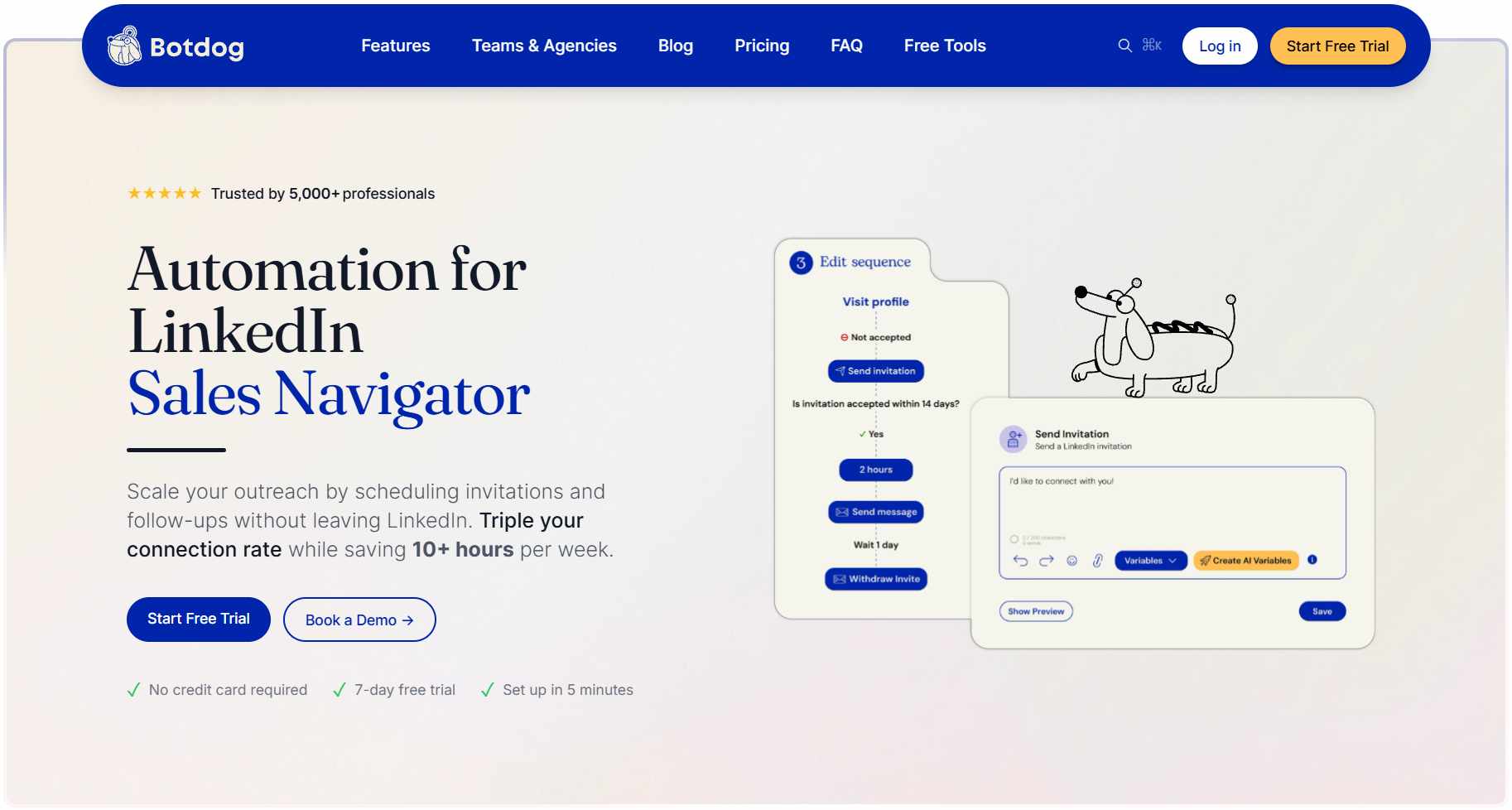
It's the "safe and simple" pick everyone keeps recommending. Clean setup, cloud-based, no sketchy browser extension eating your RAM.
But you've also read the horror stories: accounts restricted, warnings from LinkedIn, campaigns killed overnight.
So before you hand Botdog your LinkedIn login and your credit card, two questions matter. Does the safety promise actually hold, and where does this tool quietly hit a wall?
This review answers both: the real pricing, the feature ceilings, and exactly who Botdog is (and isn't) built for.
Botdog at a Glance: What You Need to Know
Botdog is a cloud-based LinkedIn automation tool built for simple, safe, single-account outreach. It sends connection requests, runs follow-up sequences, and manages your LinkedIn inbox without you keeping a browser open.
It's earned a strong reputation, 4.9/5 on G2 across 62 reviews, and most reviewers agree on the same thing. Botdog isn't trying to be a complete outbound platform. It's a LinkedIn automation specialist, and it knows it.
The sweet spot is solo reps and small teams running LinkedIn-first outreach. The ceiling shows up the moment you need more than one channel or coordination across accounts.
Here's the honest scan:
- ✅ Cloud-based. Runs 24/7 without keeping your browser open or spinning up a VPS.
- ✅ Setup under 3 minutes. Genuinely fast onboarding, even with zero prior experience.
- ✅ Starter plan is unusually generous. Unlimited connection requests, messages, and sequences at $35/mo (annual).
- ⚠️ LinkedIn-only. There's no cold email channel inside the same sequence.
- ⚠️ Per-account ceiling. No coordinated multi-sender campaigns across several accounts at once.
- ⚠️ AI features gated. Personalization and lead review require the $49/mo tier.
- ⚠️ Annual pricing is a non-refundable prepayment. Roughly $420 upfront to unlock the headline $35 rate.
The core limitation, in one line: Botdog hits a hard ceiling the moment you need to run one campaign across several accounts at once.
Botdog's Key Features, Broken Down
Here's what Botdog actually does, feature by feature, with the concrete version rather than the marketing version.
Connection Request and Follow-Up Sequences
Botdog runs multi-step LinkedIn sequences automatically in the background: connection request, intro message, timed follow-ups, with conditional logic for who gets what.
For example, you can set: send connection request, then if accepted within 3 days send the intro message, then if no reply in 5 days send follow-up #1, and stop the sequence the moment they reply.
Even the Starter plan includes unlimited connection requests, unlimited messages, and full sequence automation, which is more generous than most tools at this price.
Safety Engine (Random Delays + Business Hours Only)
This is the core of Botdog's whole pitch. It inserts randomized delays of 30 seconds to 5 minutes between actions and only sends during business hours (8 AM to 7 PM).
Think of it as a slow-walking assistant who never fires off 400 messages at 2 AM. LinkedIn's abuse detection is looking for exactly the robotic behavior Botdog is engineered to avoid.
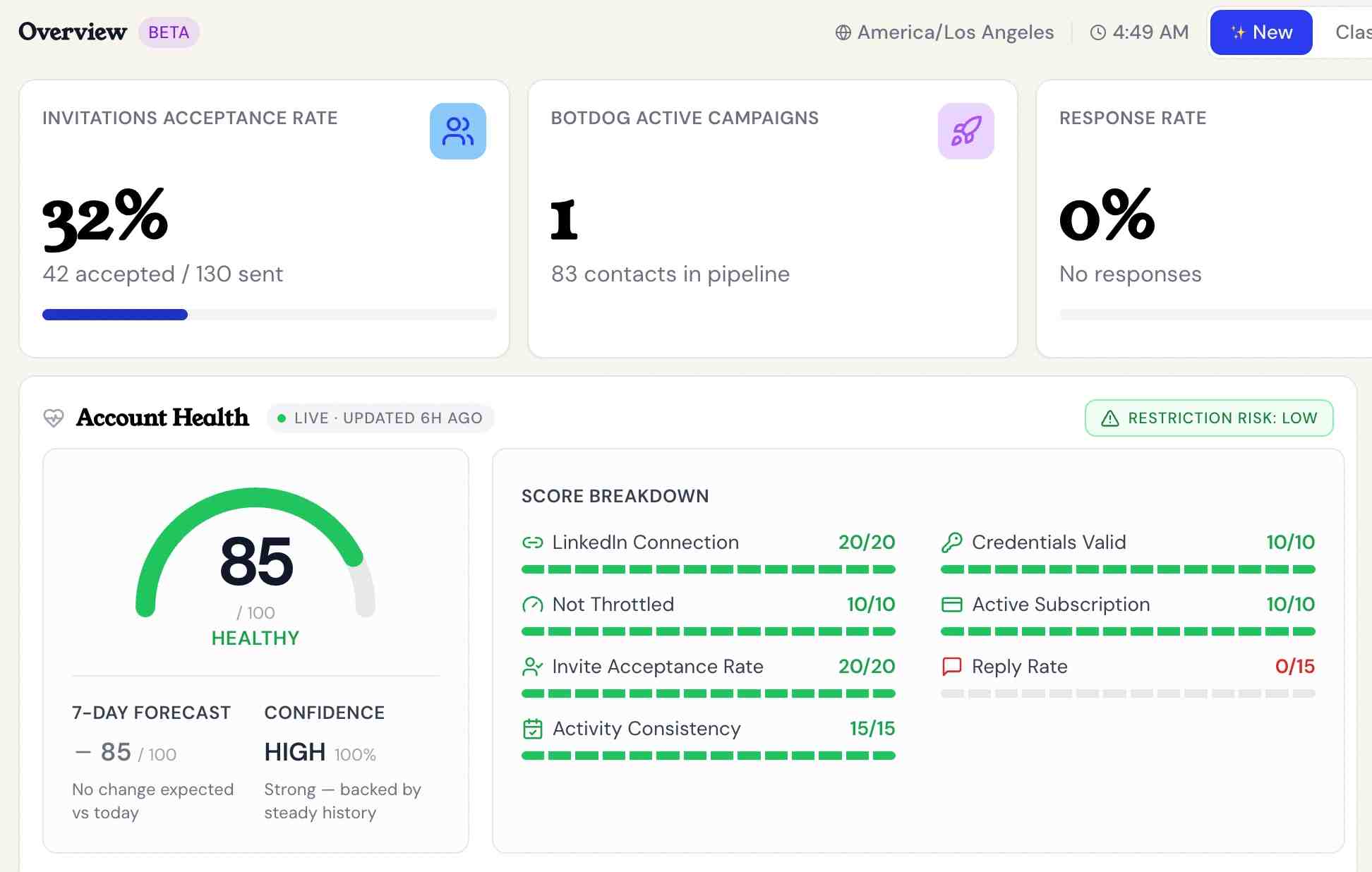
Botdog markets this as very low restriction risk, though it doesn't publish a verifiable figure, and backs the promise with a 100% refund if your account gets suspended, even temporarily.
Voice Notes (Yes, Automated)
Botdog lets you record one voice note and send it across your sequence, a human touch most text-only tools can't match at this price point.
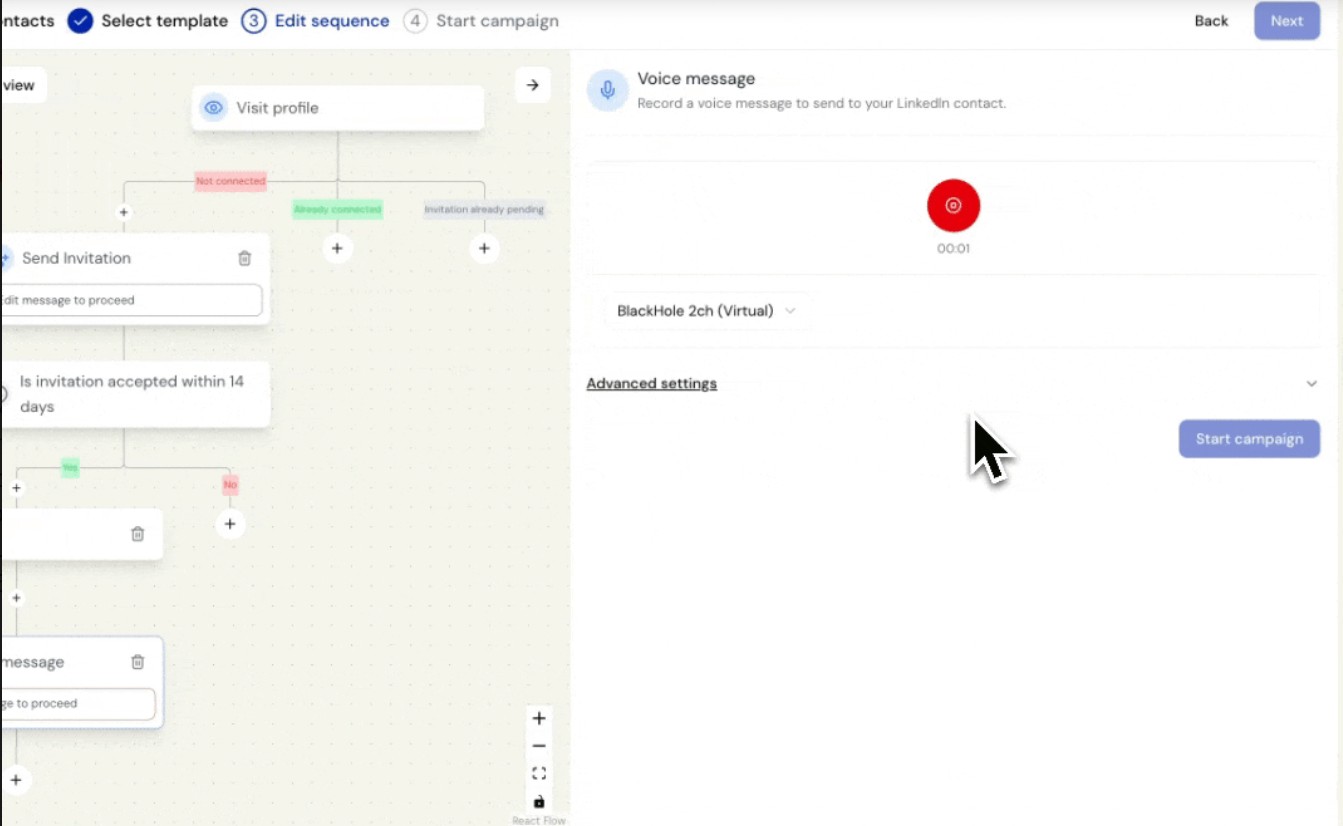
For example, record a 15-second intro clip and attach it to your outreach, so prospects hear an actual voice instead of another wall of template text.
It's a real differentiator versus budget tools like Linked Helper and Dripify that stick to text.
Inbox and Basic CRM
Botdog manages your LinkedIn conversation inbox inside the tool, surfacing replies so you can tag and track them.
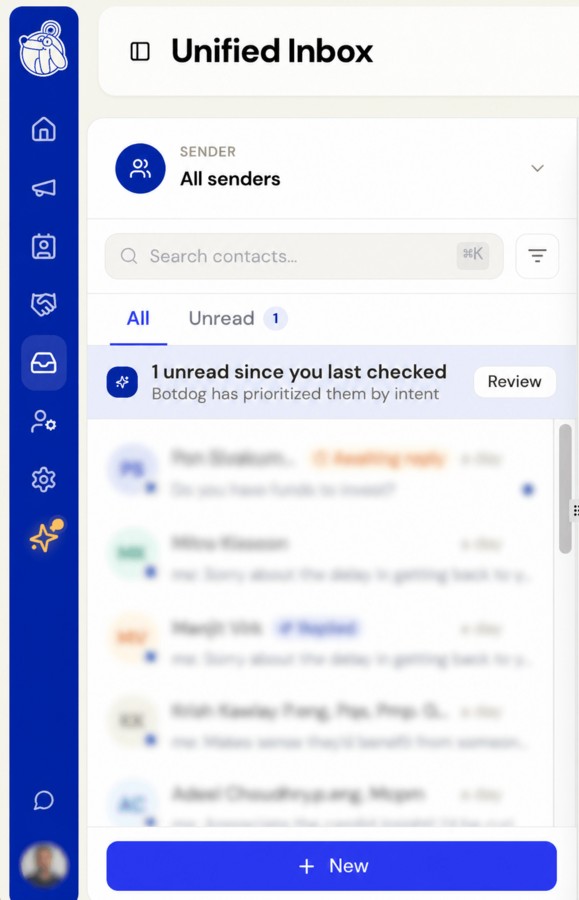
Think of it as a lightweight inbox manager, handy but not a CRM replacement. Native HubSpot and Attio integrations only unlock on the Professional plan ($39/mo annual) and above.
One thing reviewers rarely flag: Clay integration is CSV export/import only. There's no native connector, so the workaround costs you time.
AI Personalization and Lead Review (Professional + AI Tier Only)
Botdog's AI writes personalized message lines using prospect LinkedIn data and scores leads before outreach, but it's gated behind the top tier at $49/mo annual (or $99/mo monthly).
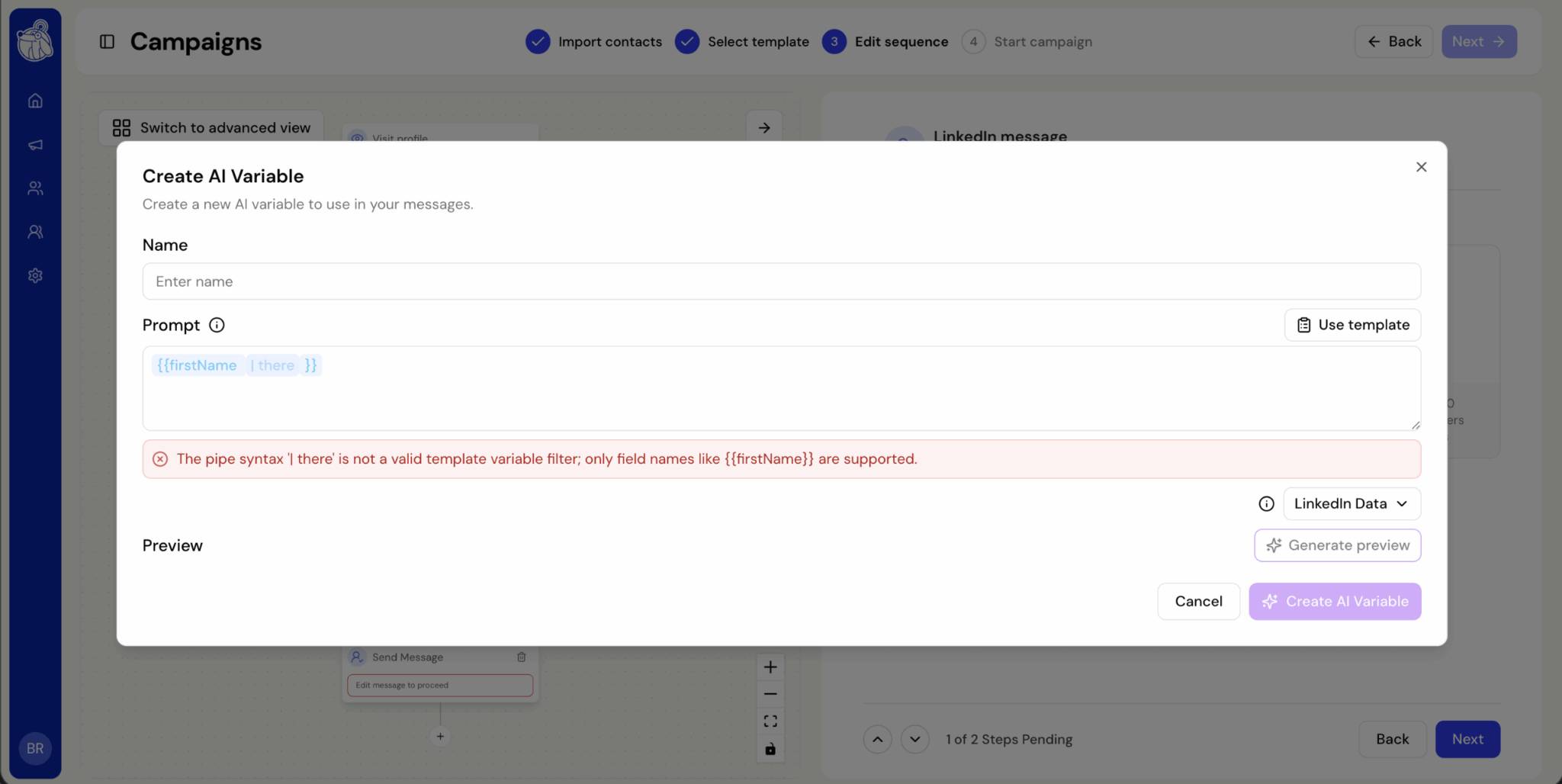
For example, the AI reads a prospect's recent LinkedIn activity and auto-adds a line like "Saw you just stepped into the VP role, congrats" to your first message.
The catch: the cheaper plans don't include any of it. If AI personalization is why you're shopping, you're paying the top price.
Botdog Pricing: How Much Will It Actually Cost You?
Botdog restructured its plans in 2026. There are now three tiers: Solo, Agency, and Managed.
The entry point is the Solo plan at $79/month per account, or $55.33/month per account if you pay for the year up front (a 30% annual discount, billed as $664 a year).
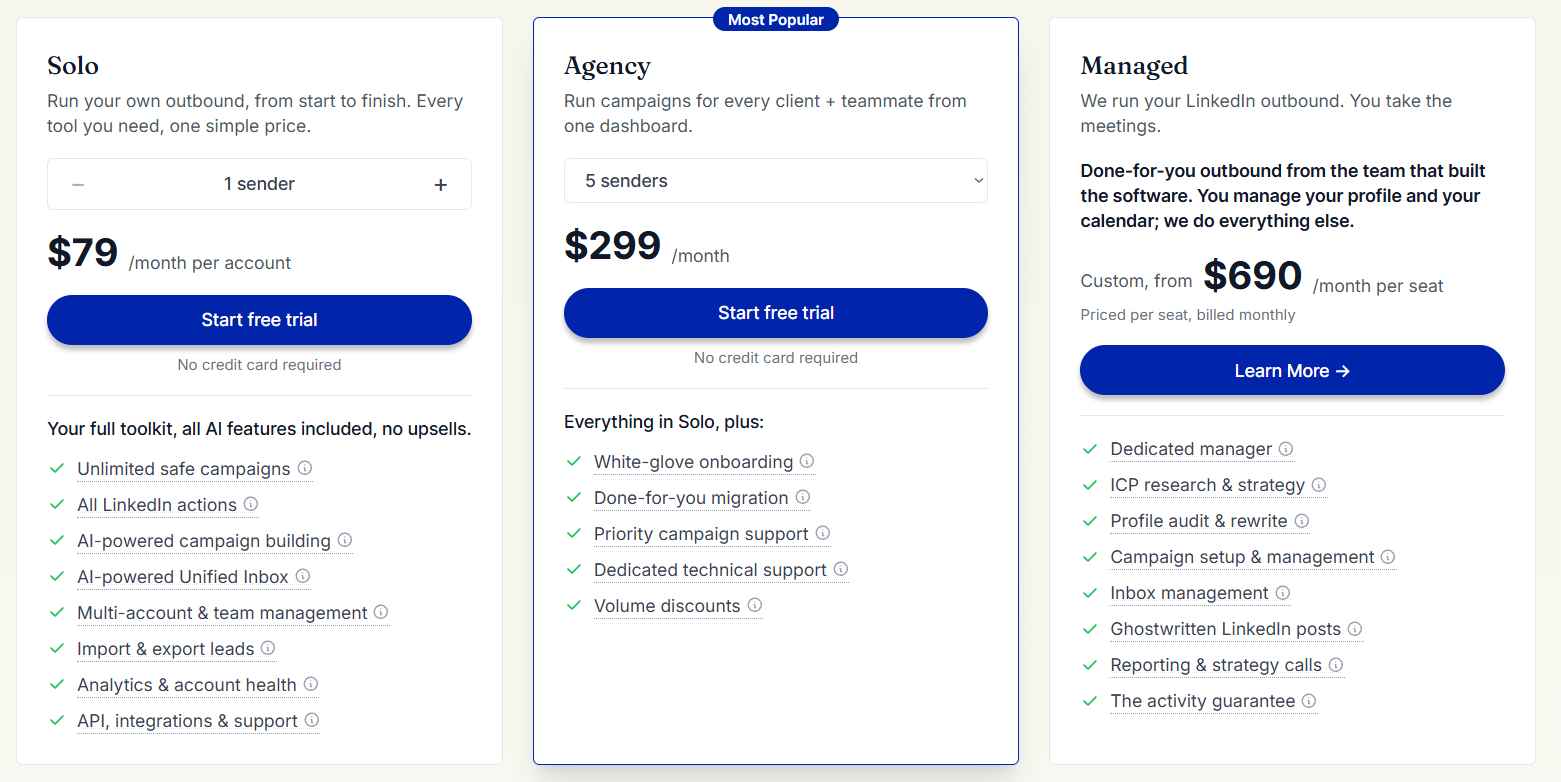
Here’s the current breakdown:
A few things worth knowing before you commit:
- The Solo plan includes everything, AI included. Botdog’s own line is “all AI features included, no upsells,” so AI-powered campaign building and the AI Unified Inbox come standard rather than sitting behind a premium tier.
- Annual billing is a 30% discount, not a locked-in prepayment. There’s also a 3-month option at 10% off. Botdog doesn’t offer refunds, but you can cancel anytime and keep access until the end of your billing period.
- The free trial is 7 days, no credit card required. That’s shorter than some alternatives, so you’re racing to validate.
For contrast, SalesRobot runs a 14-day free trial with no credit card required, double Botdog’s trial window, and its Basic plan is $59/month against Botdog’s $79/month Solo entry.
Is Botdog Worth It? Here's Who Should (and Shouldn't) Use It.
Botdog is a cloud-based LinkedIn automation tool built for simple, safe, single-account outreach. It sends connection requests, runs follow-up sequences, and manages your LinkedIn inbox without you keeping a browser open.
It’s earned a strong reputation, 4.9/5 on G2 across 62 reviews, and most reviewers agree on the same thing. Botdog isn’t trying to be a complete outbound platform. It’s a LinkedIn automation specialist, and it knows it.
What Botdog gets right:
- Cloud-based, so it runs 24/7 without keeping a browser open or spinning up a VPS.
- Genuinely fast setup, usually a few minutes from signup to first campaign.
- The Solo plan is generous: unlimited campaigns with all AI features included, no upsells.
- Cautious safety engine: randomized delays, business-hours-only sending, and a full refund if your account gets suspended.
- Automated voice notes, which most budget tools at this price skip.
Where users run into limits:
- LinkedIn-only. There’s no email channel inside the sequence, so it’s one lane of outreach.
- Occasional bugs and navigation rough edges that reviewers repeatedly flag during the trial.
- Thin integrations. Teams with more complex workflows find the connector list limiting.
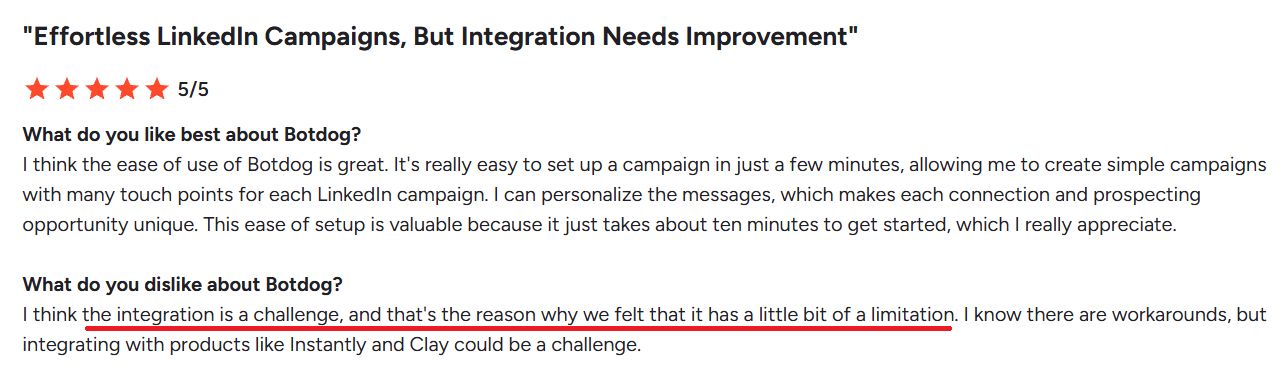
- Limited customization as outreach grows past the basics.
- It’s not a full platform. Botdog isn’t a CRM or a sales-intelligence database, so it’s one piece of a bigger stack.
- Confusing UI, which many users have found to be frustrating.
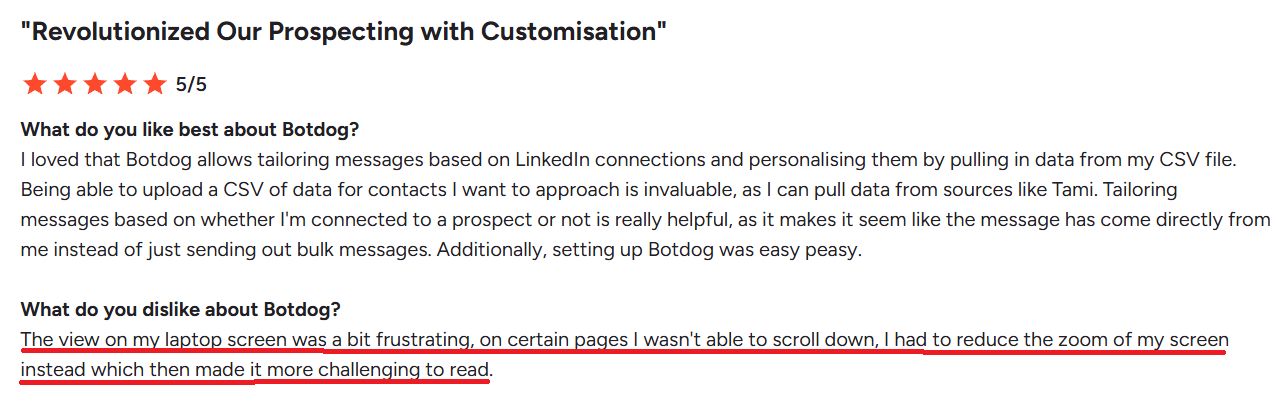
- Short runway to test: the free trial is only 7 days, and billing isn’t refundable once you’re on a plan.
How SalesRobot Handles What Botdog Can't
Most "Botdog alternative" lists just swap one LinkedIn-only tool for another, Dripify, Waalaxy, Expandi, the same single-channel motion with the same ceilings. That doesn't fix your problem.
SalesRobot is the alternative for buyers who hit Botdog's two specific walls: no cold email, and no multi-account coordination. Here's how it closes each gap, feature by feature.

It runs LinkedIn and email in one sequence. SalesRobot starts a campaign on LinkedIn (connection request, message, follow-up), and if the prospect doesn’t reply there, it can automatically follow up by email from the same campaign.
That keeps one conversation moving across both channels instead of two disconnected tools, which is something Botdog’s LinkedIn-only setup can’t do.
It's built for multiple accounts. The SalesRobot team dashboard lets you run campaigns across 50-100+ LinkedIn accounts from one login, each with separate limits and inboxes, plus a whitelabel program for agencies.
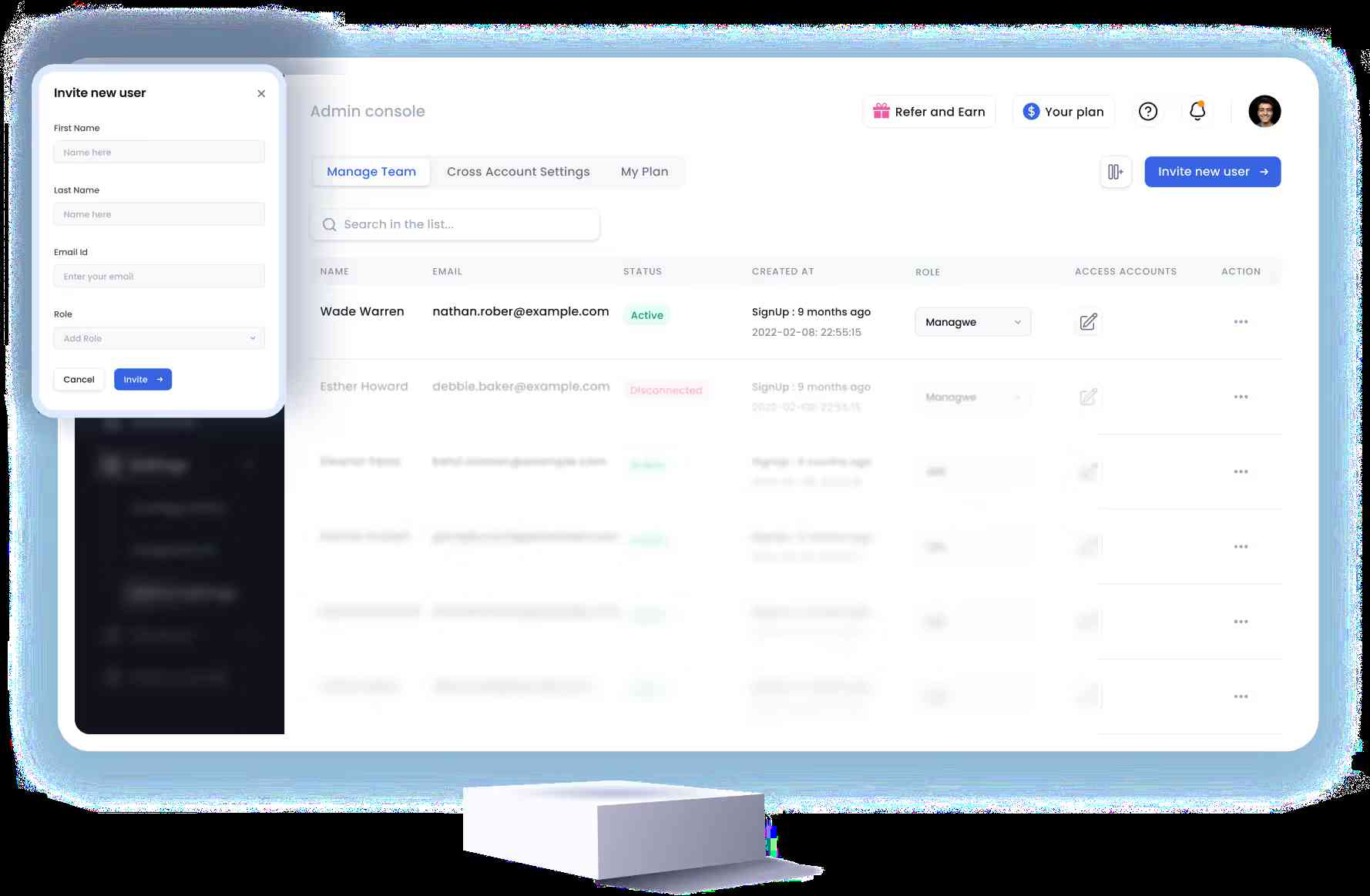
If you're scaling a multi-account motion, the complete guide to scaling LinkedIn outreach walks through the setup. For reference, The Growth Agency hit a 66% reply rate running on SalesRobot.
AI isn't locked behind the top tier.
AI that’s built in, not charged as an add-on. SalesRobot bakes the AI into its plans, and it shows up in three places that actually move outreach.
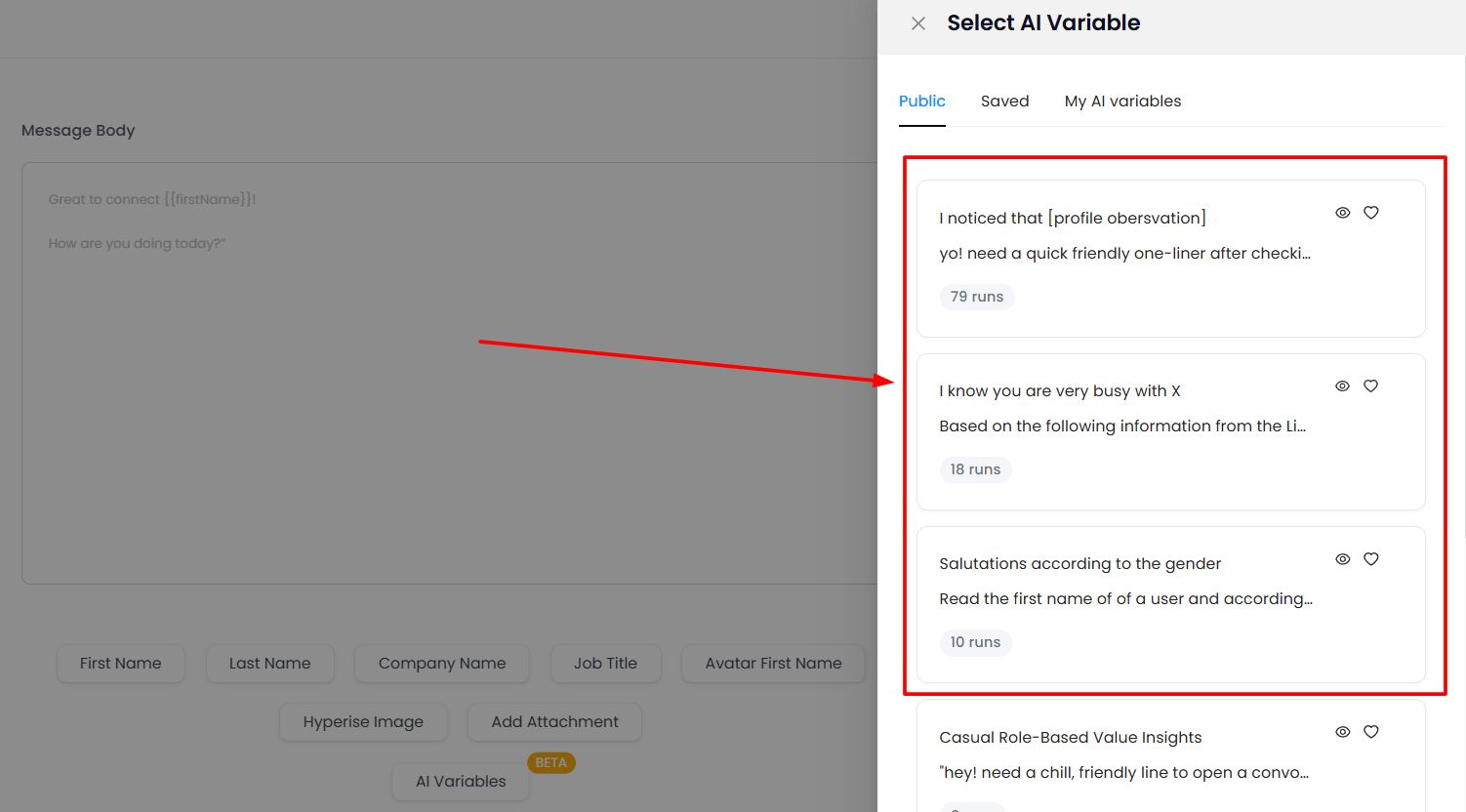
AI Variables read each prospect’s LinkedIn profile and write the personalized opener for you, so a connection request can reference their real role or a recent post instead of a generic “Hi {name}.”
The AI Appointment Setter takes over the replies. In Copilot mode it drafts responses for you to approve with one click; in Autopilot it runs the back-and-forth itself and books the meeting straight to your calendar.
And Smart Comments warms a prospect up before you reach out, leaving a relevant comment on their recent post so your name already looks familiar when the request lands.
Safety is on par. SalesRobot uses mobile API technology with randomized delays, human-like limits (up to 200 connection requests a week), and residential IP rotation, and customers report zero account bans following Safe Mode guidelines.

On price, SalesRobot's Basic plan is $59/month versus Botdog's $69/month month-to-month, with Advanced at $79 and Professional at $99 (annual billing saves 35%). It's trusted by 4,100+ B2B sales teams, rated 4.8 on G2 from 57+ reviews, with a 55% average reply rate and 51% connection acceptance rate.
👉 Want LinkedIn and email in one campaign without the per-account math? Try SalesRobot free for 14 days, no credit card required.
Frequently Asked Questions
Is Botdog safe to use with my LinkedIn account?
Botdog is designed to be low-risk. It uses randomized delays of 30 seconds to 5 minutes between actions, sends only during business hours (8 AM to 7 PM), and runs in the cloud to mimic human behavior. Botdog markets a very low restriction risk and refunds you fully if your account is suspended. No third-party tool is truly zero-risk, though.
What does Botdog do?
Botdog is a cloud-based LinkedIn automation tool. It sends connection requests, runs automated follow-up message sequences, delivers voice notes at scale, and manages your LinkedIn conversation inbox. Higher tiers add HubSpot/Attio CRM sync and AI personalization. It operates on LinkedIn only, with no native cold email channel built into the sequences.
Can Botdog send cold emails too?
No. Botdog is LinkedIn-only, so there's no email channel inside the sequence. Your prospects get connection requests, messages, and voice notes, but never an email follow-up from the same tool. If you want LinkedIn and email running in one coordinated sequence, you need a multi-channel platform like SalesRobot, which falls back to email automatically when a prospect doesn't reply on LinkedIn.
How much does Botdog cost?
Botdog costs $35 to $49 per account per month billed annually (a non-refundable upfront prepayment), or $69 to $99 per account per month billed monthly. The top tier unlocks AI features. Pricing is per LinkedIn account, so each additional account needs its own subscription. A 7-day free trial is available with no credit card.
What is the difference between Botdog and HeyReach?
Botdog runs each LinkedIn account as its own independent campaign, with no coordination across accounts. HeyReach is built for coordinated multi-account outreach: one campaign, multiple senders, automatic distribution, and all replies in one inbox. Botdog starts at $35/mo for solos; HeyReach starts around $79/mo and targets agencies running many accounts.
Will I get banned from LinkedIn if I use automation?
There's always some risk. All third-party automation operates against LinkedIn's Prohibited Software and Extensions policy. Cloud-based tools like Botdog lower the signal versus browser extensions by mimicking human timing and respecting daily limits. The biggest variable you control is volume, and staying within human-like daily limits is what keeps accounts safe.
What are the best Botdog alternatives?
It depends on your gap. Need LinkedIn plus email in one automated sequence across multiple accounts? SalesRobot fits: $59/mo, 4,100+ teams, 55% average reply rate, with a 14-day free trial. Need coordinated agency multi-sender campaigns? HeyReach. Need the cheapest possible option? Linked Helper at around $15/mo, though it's desktop-based.
The Bottom Line on Botdog
Botdog is genuinely good at what it does, if what it does covers your use case. For a solo rep running safe, simple, LinkedIn-only outreach on one account, the generous Starter plan and genuinely cautious safety engine make it easy to recommend.
The honest reality check: Botdog is a LinkedIn specialist, not a full outbound platform. The non-refundable annual prepay, the AI gated behind the top tier, and the hard per-account ceiling are the walls you'll eventually hit as you scale.
If you already know you need LinkedIn and email working together, or you're juggling multiple accounts, SalesRobot closes both gaps in one platform: LinkedIn-to-email sequences, 50-100+ accounts from one login, AI personalization without a top-tier paywall, and a 55% average reply rate across 4,100+ teams, all starting at $59/month. The complete LinkedIn outreach system playbook shows how the full motion fits together.
👉 See whether multi-channel beats single-channel for your pipeline. Try SalesRobot free for 14 days, no credit card required.

Wow your leads by cloning yourself and sending personalized videos and voice notes to each lead on LinkedIn.
If you don't reply to leads within 5 mins, your chances of converting them fall by 50%. Our AI replies on your behalf instantly! (and yes, you can train it)

Don't shoot in the dark. Get detailed analytics on what's working
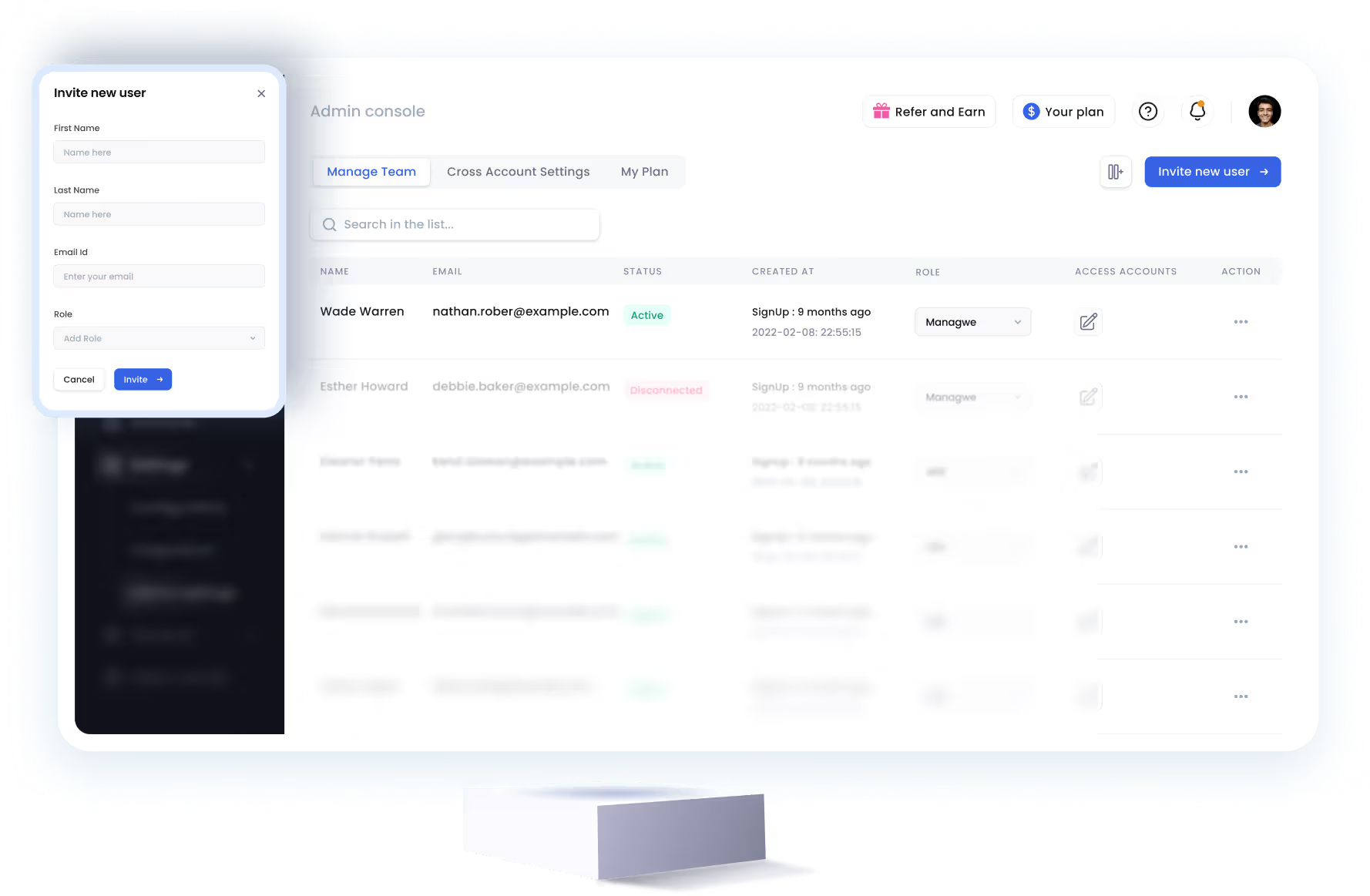
SalesRobot allows you to invite other team members, so that they can add their LinkedIn Account, run outreach campaigns and get amazing results just like you.


Trusted by 4100+ innovative B2B sales teams and lead gen agencies










Heading 1
Heading 2
Heading 3
Heading 4
Heading 5
Heading 6
Lorem ipsum dolor sit amet, consectetur adipiscing elit, sed do eiusmod tempor incididunt ut labore et dolore magna aliqua. Ut enim ad minim veniam, quis nostrud exercitation ullamco laboris nisi ut aliquip ex ea commodo consequat. Duis aute irure dolor in reprehenderit in voluptate velit esse cillum dolore eu fugiat nulla pariatur.
Block quote
Ordered list
- Item 1
- Item 2
- Item 3
Unordered list
- Item A
- Item B
- Item C
Bold text
Emphasis

Superscript
Subscript