.avif)
TL;DR
- LinkedIn intent signals are behavioral cues, like profile views, post comments, shares, job changes, and event registrations, that tell you a prospect is actively researching a problem you solve.
- Use the 4-Tier Intent Scoring Model: score each prospect by signal weight, role relevance, recency, and account clustering, then match the tier to the right action instead of blasting everyone the same sequence.
- Act inside the 24-48 hour window: teams that time outreach to buying moments see 2-3x higher reply rates, and signal-sourced pipeline converts at 3-8x the rate of cold pipeline.
- Wait for 2+ signals from the same account (or one high-value first-party signal plus a supporting one) before reaching out. A single isolated like is rarely a real buying signal.
- The step everyone skips is what happens after the reply. SalesRobot's AI Appointment Setter handles the conversation and books the meeting, driving a 55% average reply rate across 4,100+ teams.
- Choose Sales Navigator to detect account-level intent. Choose SalesRobot to act on it and book the meeting.
👉 Skip the manual reply-chasing: SalesRobot warms accounts, personalizes each message, and books qualified meetings on autopilot. Try free for 14 days.
Your Pipeline Is Cold, But the Buying Signals Are Already There
You're sending the same sequence to 300 prospects and hoping something sticks.
Meanwhile, four of them viewed your profile twice this week, one commented on your last post, and two just changed jobs. They're basically waving at you.
You're ignoring all of it.
Here's the uncomfortable math. Gartner found B2B buyers are 70-80% through their decision process before they ever contact a vendor.
And by the time they do, 94% of buying groups have already ranked their preferred vendors, and they buy from that early favorite 77% of the time.
Translation: if you wait for the inbound form fill, you've already lost.
The window to influence the deal is while they're researching, and LinkedIn is broadcasting exactly when that's happening.
Teams that time their outreach to those buying moments see 2-3x higher reply rates than teams sending the same sequence to everyone. This playbook shows you how to catch the signal, score it, say the right thing, and book the meeting.
What Are LinkedIn Intent Signals, Anyway?
LinkedIn intent signals are behavioral cues (profile views, post comments, content shares, event registrations, and job changes) that indicate a prospect is actively researching a problem your product solves.
They turn LinkedIn from a static contact database into a live feed of who's ready to talk right now.
There are two flavors, and the difference matters more than most people think.
First-party signals are when a prospect engages with you. They viewed your profile, commented on your post, or shared your content.
Third-party signals are when a prospect engages with your category. Following a competitor, liking industry content, or registering for a relevant event.
First-party signals win. They indicate interest in you specifically, not just your topic, which is why a comment on your post converts far better than a generic like on some industry think-piece.
Here's how the signals stack up. Think of this as The LinkedIn Intent Signal Stack: the higher the weight, the faster you move.
Notice where an isolated like sits. Bottom of the stack.
On its own it means almost nothing. It only becomes meaningful when it clusters with role relevance or other signals from the same account.
Step 1: Build Your Signal Stack (The Sources That Actually Matter)
The first move isn't tracking every signal. It's picking the sources that actually predict buying.
Monitor these six surfaces:
- Your own post engagement: comments and shares from ICP-fit accounts.
- Profile views: especially repeat views in a short window.
- LinkedIn Events: registrations for events in your space.
- LinkedIn Groups: active members in relevant communities.
- Saved searches: new people matching your ICP filters.
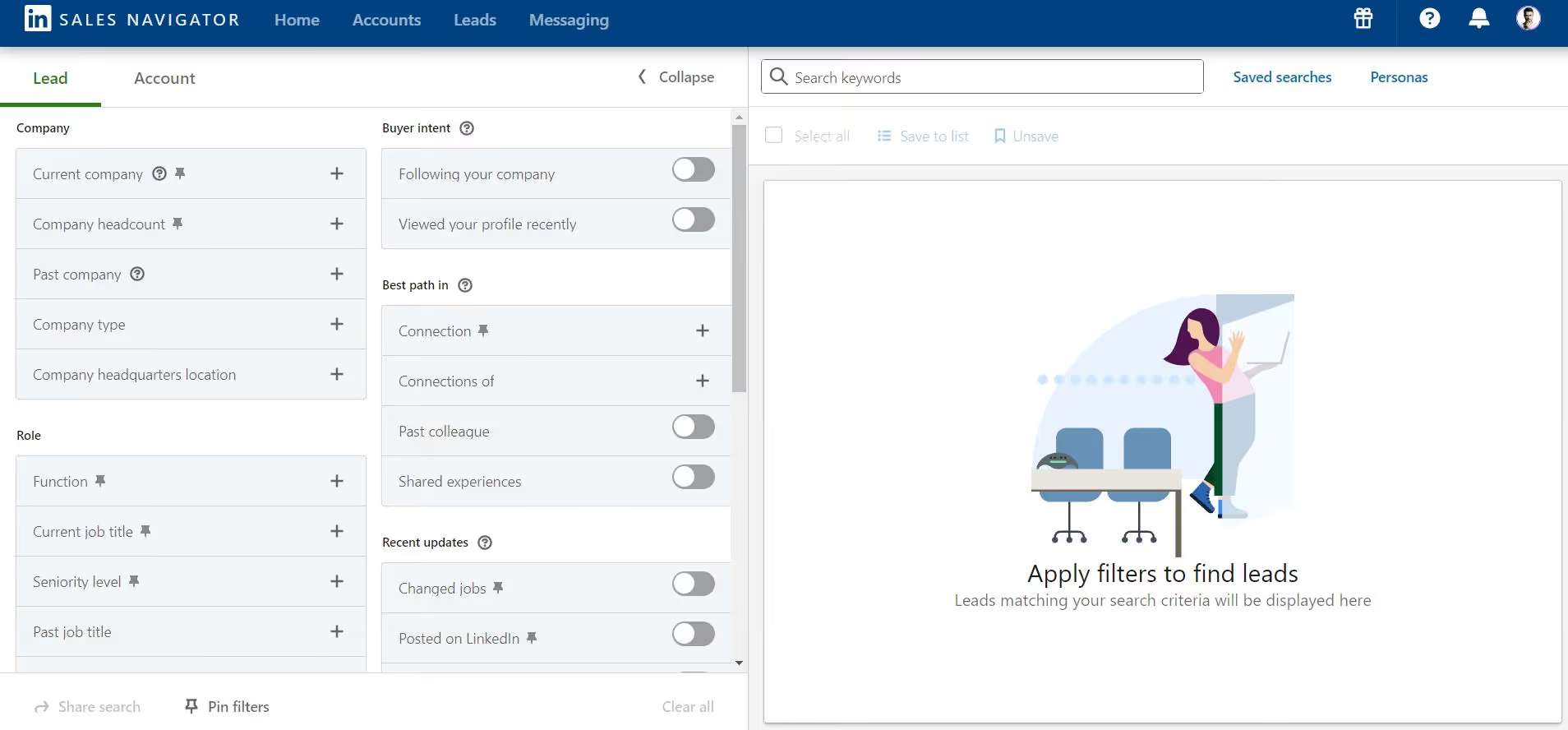
- Sales Navigator Buyer Intent: if you're paying for it.
That last one has a catch. Buyer Intent is only available on Sales Navigator Advanced ($159.99/month) and Advanced Plus, not the Core plan at $119.99/month. So budget accordingly.
And there's a flaw nobody advertises: Sales Navigator's intent scores are self-contaminating.
As one sales pro put it, "once I start reaching out to companies, their score goes up, which works against me." Your own prospecting can inflate the very signal you're trying to read.
It also has no visibility into off-platform activity. No website visits, no G2 research, no ad clicks.
You don't strictly need Sales Navigator, though. Native LinkedIn search, hashtag following, and saved searches surface plenty of signals manually, because most buyer intent shows up in public posts that anyone can see.
Once you've identified a high-intent pool, this is where the acting layer begins. SalesRobot imports leads directly from LinkedIn Search, Sales Navigator searches, LinkedIn Groups, and LinkedIn Events. No CSV exports, no downloading and re-uploading.
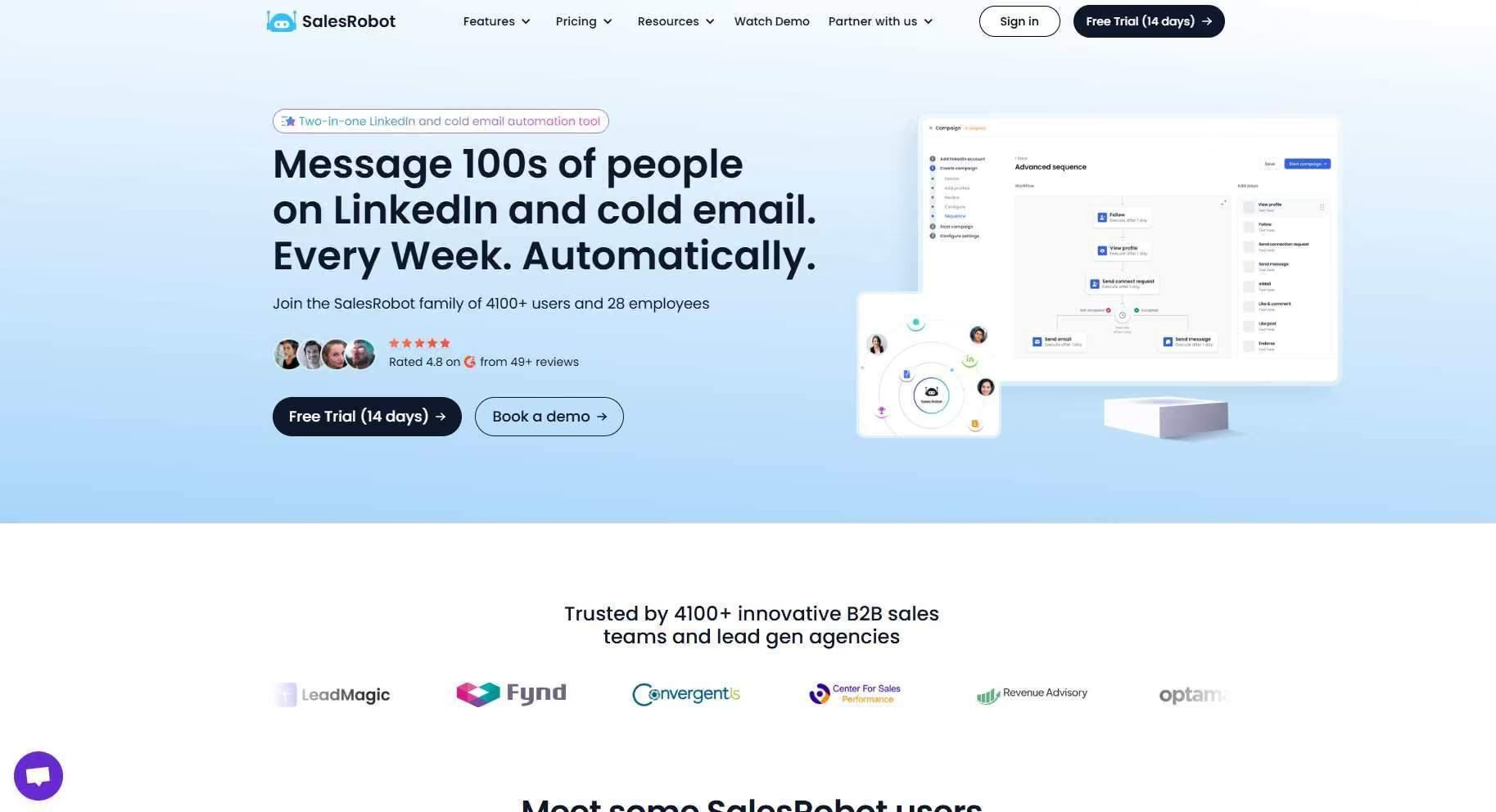
You paste the search URL, SalesRobot pulls the leads, and your campaign is ready to go.

Step 2: Score and Prioritize Before You Reach Out (The 4-Tier Model)
Not all signals deserve the same response. Scoring is what separates a system from a guessing game.
Here's the problem you're solving. The intent data market hit $4.49 billion in 2026, yet only 24% of organizations report exceptional ROI.
The gap isn't the signals. It's that most teams collect them without a system to act on them.
So score every prospect on four factors: signal weight (from the stack above), role relevance (are they a buyer?), recency (how fresh?), and account clustering (multiple signals from the same company escalate the tier).
Then route them through The 4-Tier LinkedIn Intent Scoring Model:
- Tier 1, Awareness (1 low-weight signal): No outreach yet. Just engage with their content.
- Tier 2, Interest (1 high-weight signal, or 2+ medium): Reciprocal engagement. Warm the account before you connect.
- Tier 3, Evaluation (1 first-party high-weight signal + a supporting signal, or 3+ medium): Personalized DM with a value-add resource, not a pitch.
- Tier 4, Decision (DM initiation, repeated profile views, or 2+ first-party high-weight signals): Direct, low-friction meeting request.
Build in time decay, too. A comment from three months ago is not the same as one from yesterday.
Recency should pull a prospect up or down the tiers automatically. A stale signal is a burned quota slot.
For example, an account where the VP of Sales viewed your profile twice and the SDR manager commented on your post last Tuesday? That's account clustering plus first-party weight plus recency. Straight to Tier 4.
Step 3: Warm the Account Before You DM
Here's the interest-tier action nobody has patience for: engage with a prospect before you slide into their DMs.
Reciprocal engagement works because it dissolves the "who is this stranger" reflex.
When your connection request lands after you've already left two thoughtful comments on their posts, you're a familiar name, not cold spam.
For example, you could spend one week leaving 2-3 genuine comments on a Tier-2 prospect's content, then send a connection request that references something specific they wrote. Acceptance rates climb because you've earned a little recognition first.
The manual version of this eats 20+ minutes a day per rep. Scrolling feeds, reading posts, writing comments that don't sound like a bot.
The SalesRobot version automates it. Smart Comments automatically leaves AI-generated comments on your prospects' LinkedIn posts before outreach begins, warming them up and lifting acceptance rates.
That's part of how SalesRobot users hit a 51% connection acceptance rate. You're warming Tier-2 accounts at scale instead of one tab at a time.
Step 4: Match Your Message to the Signal (Not to Your Template Library)
Here's the rule that turns intent into replies: your opening line must prove you saw the signal.
Generic templates announce themselves instantly. A message tied to what the prospect actually did feels like a human noticed, because one did.
Match the message angle to the signal type:
- Profile viewer: "Noticed you stopped by my profile, figured I'd say hello."
- Commented on your post: Quote what they said and build on it.
- Job change: Reference the new role and the challenges that come with month one.
- Competitor engagement: Lead with the category pain they're clearly researching.
And move fast. The action window is 24-48 hours, and acting on a fresh signal dramatically outperforms following up two weeks later.
Within 24 hours is the safe zone, since LinkedIn moves slower than Twitter, but sooner almost always wins.
Doing this by hand for 300 prospects is impossible. This is where SalesRobot's AI Variables earns its keep. It automatically pulls relevant details from each prospect's LinkedIn profile (recent job changes, company news, shared connections, volunteer work) and uses them to personalize outreach at scale.
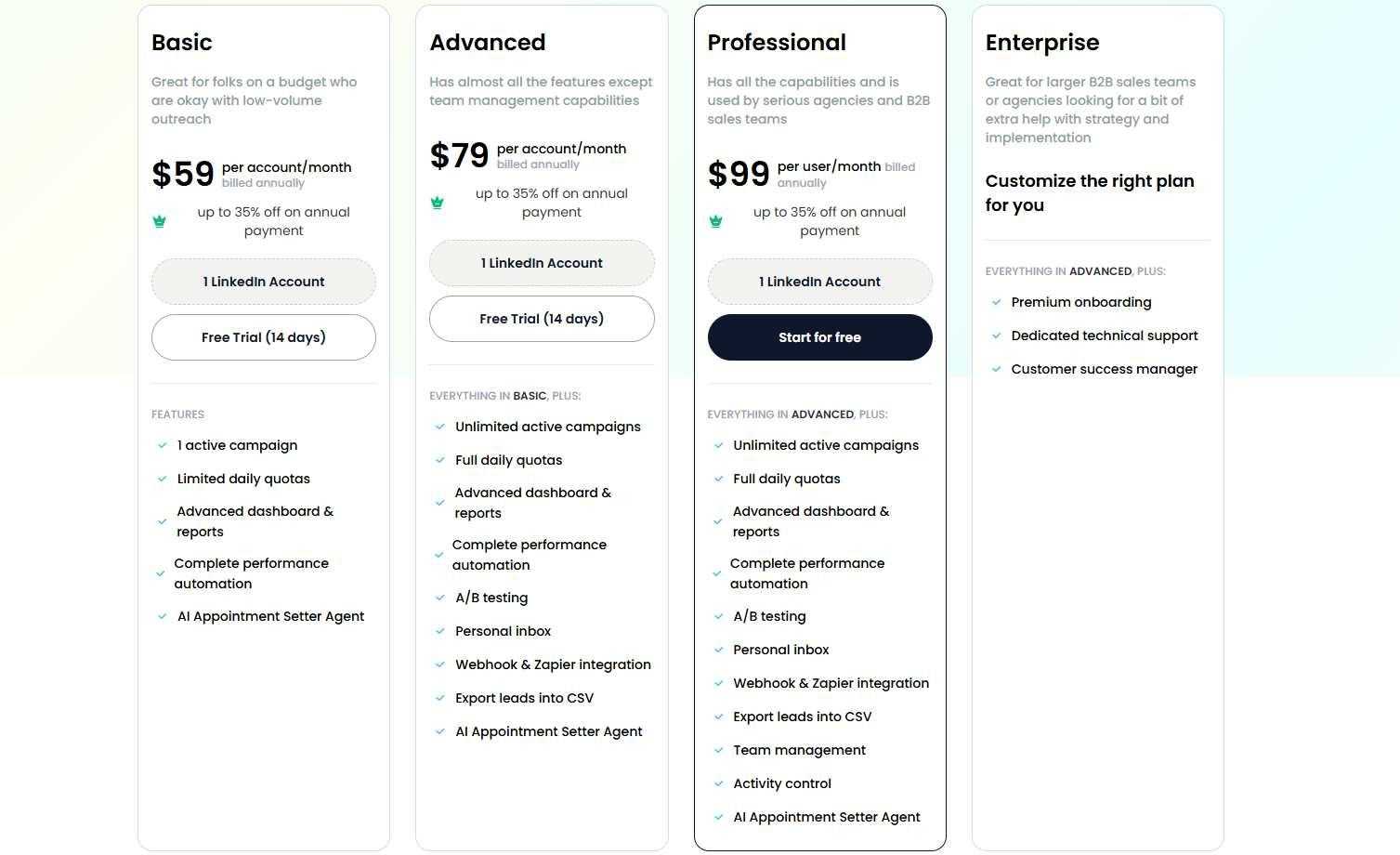
Bonus: SalesRobot bypasses InMail costs entirely. Instead of paying $2-8 per InMail, you run personalized connection-request sequences at a flat $59/month, no per-message fees.
Step 5: Handle the Reply and Book the Meeting (Where Most Systems Break)
You caught the signal, warmed the account, sent the perfect message, and then a reply comes in and the system falls apart.
This is the step every other guide skips. Detection and outreach are only half the job.
The real conversion happens in the conversation: qualifying the reply, handling the "tell me more," proposing a time, and confirming it.
Done manually, this is where deals die. Reps miss the timing, copy-paste inconsistent responses, and let hot replies go cold over a weekend.
For example, a Tier-4 prospect replies "interesting, tell me more." The manual way, that message sits in an inbox until someone circles back Monday, and by then the moment's gone.
The SalesRobot way, the AI Appointment Setter takes over, and it runs in two modes:
- Copilot: reviews the conversation and suggests a personalized reply you approve with one click.
- Autopilot: fully hands-off. The AI manages the entire conversation, handles objections, and books qualified meetings directly into your calendar 24/7.
The results back it up. SalesRobot customers see a 55% average reply rate, and The Growth Agency hit a 66% reply rate using it as their core outreach engine.
Plans start at $59/month, with a 14-day free trial and no credit card required.
How SalesRobot Turns LinkedIn Intent Signals Into Booked Meetings
Here's the honest framing: SalesRobot doesn't detect intent signals. Sales Navigator does that.
SalesRobot is the layer that acts on them, stitching Steps 3 through 5 into one workflow. It works in three moves:
- Warm the account (Step 3): Smart Comments automatically leaves AI-generated comments on prospect posts before outreach, lifting the 51% connection acceptance rate.
- Personalize to the signal (Step 4): AI Variables pulls each prospect's LinkedIn profile data to match the message angle to what they actually did.
- Book the meeting (Step 5): the AI Appointment Setter runs Copilot or Autopilot to handle replies and schedule qualified meetings 24/7.
The cost math is the kicker. Cobbling this together usually means Sales Navigator Advanced at $159.99/month plus a separate sequencer plus a separate meeting-booking tool.
SalesRobot rolls the acting layer into one platform starting at $59/month (annual billing saves 35%).
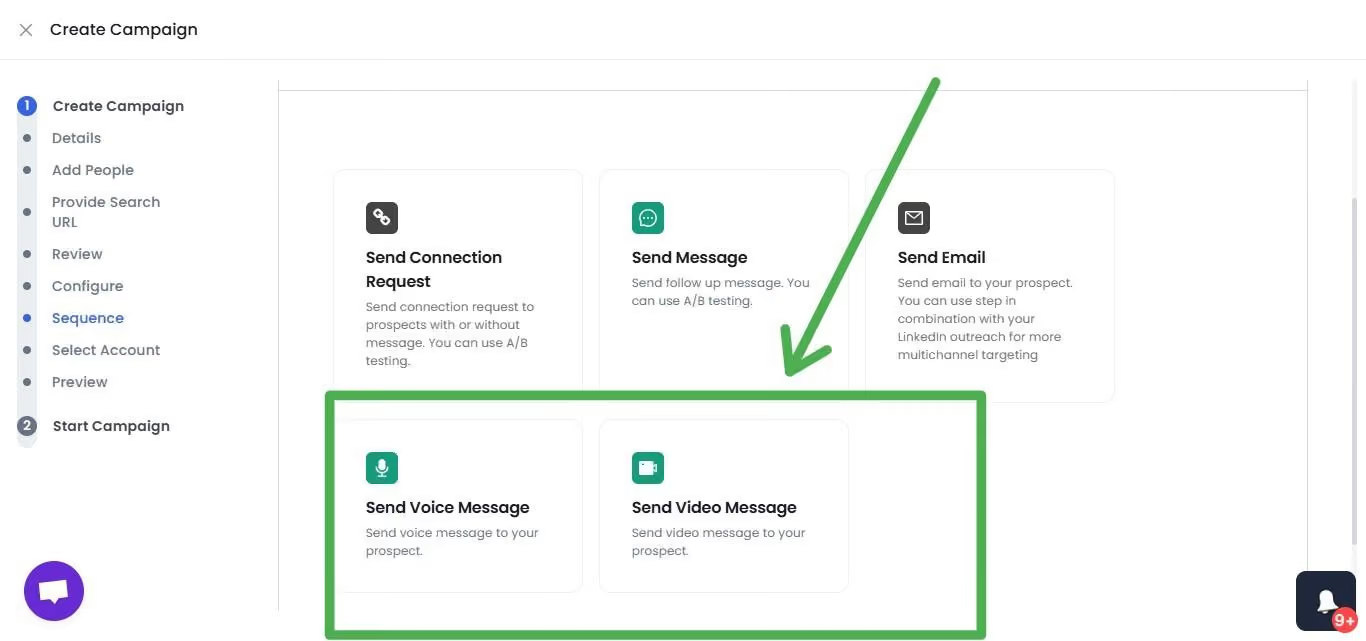
For higher-intent Tier-4 prospects, you can also record one video or voice note and send it to hundreds of prospects. SalesRobot customers report 3x higher response rates on video messages versus standard connection requests.
It's trusted by 4,100+ B2B sales teams and agencies, rated 4.8 on G2 across 57+ reviews. Detect on Sales Navigator; act on SalesRobot.
Common Mistakes That Kill Your Signal-Based Outreach
Even a solid signal stack falls apart if you make these three errors.
Mistake 1: Acting on a signal without checking ICP fit.
Intent is just interaction, and sometimes there's no real intent behind it. A like from a student researcher or a competitor snooping is not a buying signal.
Always pair the signal with role, company size, and a budget proxy before you move. This is exactly why pulling profile data first (to confirm fit) matters more than reacting to raw activity.
Mistake 2: Ignoring time decay.
Treating a three-month-old comment the same as yesterday's repeat profile view wastes your best quota on stale interest. Fresh signals convert; old ones don't. Let recency pull prospects up and down the tiers.
Mistake 3: Sending the same message to every tier.
Hitting a Tier-1 awareness prospect with a Tier-4 "book a call" ask accelerates the unsubscribe, not the booking. Match the ask to the tier, that's the whole point of scoring.
Remember, only 24% of organizations get exceptional ROI from intent data, and this is usually why: signals with no system.
Frequently Asked Questions
What are LinkedIn intent signals?
LinkedIn intent signals are behavioral cues (profile views, post comments, content shares, event registrations, and job changes) that show a prospect is actively researching a problem your product solves. First-party signals (engaging with you) predict buying intent better than third-party signals (engaging with your category), because they indicate interest in you specifically.
Do you need Sales Navigator to track LinkedIn intent signals?
No. LinkedIn's native search, hashtag following, and saved searches surface plenty of signals manually, since most buyer intent appears in public posts anyone can see. Sales Navigator helps with advanced filters and its Buyer Intent feature, but that's gated to the Advanced plan at $159.99/month and above, not Core.
How many intent signals should you see before reaching out?
There's no universal number, but a reliable rule is 2 or more signals from the same account, or one high-value first-party signal (like a substantive comment on your post) plus a supporting signal. Account-level clustering matters more than any single action, because multiple signals from one company confirm genuine, current interest.
How fast should you respond to a LinkedIn buying signal?
Aim for within 24 hours, and ideally inside a 24-48 hour window. LinkedIn moves slower than Twitter, so same-day isn't strictly required, but acting on a fresh signal dramatically outperforms following up on data that's two weeks old. Teams that time outreach to buying moments see 2-3x higher reply rates.
Is a like on LinkedIn a buying signal?
Rarely on its own. An isolated like sits at the bottom of the intent stack and often means nothing. It becomes meaningful only when it clusters with other cues: role relevance, competitor adjacency, or multiple signals from the same account. Judge likes as supporting evidence, never as a standalone trigger.
Can I run intent-based outreach across several LinkedIn accounts?
Yes. Agencies and larger teams run signal-based campaigns across 50-100+ LinkedIn accounts from one dashboard, each with its own safe sending limits and warm-up. That lets you monitor and act on intent for a whole book of accounts at once, rather than tab-hopping between logins. Billing is per account, starting at $59/month.
Stop Watching Signals. Start Booking Meetings.
The signals are already there. Every day, ICP-fit prospects view your profile, comment on your posts, and change jobs, quietly telling you they're in-market.
What's missing is the system to act on it: score the signal, warm the account, match the message, and handle the reply before the moment cools.
The honest reality check: intent data alone books zero meetings. The intent market is worth $4.49 billion, but only 24% of teams get real ROI, because collecting signals is easy and acting on them is where everyone stalls.
That's the gap SalesRobot closes. Smart Comments warms your Tier-2 accounts, AI Variables personalizes every message to the signal, and the AI Appointment Setter handles replies and books qualified meetings on autopilot, all from one platform at $59/month, with a 55% average reply rate to show for it.

👉 Turn the signals you're already sitting on into booked meetings: try SalesRobot free for 14 days, no credit card required.

Wow your leads by cloning yourself and sending personalized videos and voice notes to each lead on LinkedIn.
If you don't reply to leads within 5 mins, your chances of converting them fall by 50%. Our AI replies on your behalf instantly! (and yes, you can train it)

Don't shoot in the dark. Get detailed analytics on what's working

SalesRobot allows you to invite other team members, so that they can add their LinkedIn Account, run outreach campaigns and get amazing results just like you.
.avif)


Trusted by 4100+ innovative B2B sales teams and lead gen agencies

.avif)

.avif)




.avif)


Heading 1
Heading 2
Heading 3
Heading 4
Heading 5
Heading 6
Lorem ipsum dolor sit amet, consectetur adipiscing elit, sed do eiusmod tempor incididunt ut labore et dolore magna aliqua. Ut enim ad minim veniam, quis nostrud exercitation ullamco laboris nisi ut aliquip ex ea commodo consequat. Duis aute irure dolor in reprehenderit in voluptate velit esse cillum dolore eu fugiat nulla pariatur.
Block quote
Ordered list
- Item 1
- Item 2
- Item 3
Unordered list
- Item A
- Item B
- Item C
Bold text
Emphasis

Superscript
Subscript