TL;DR
- Your LinkedIn profile is the first thing prospects check before accepting your request. Optimize it for buyers, not recruiters.
- Blank connection requests outperform personalized notes in 2026. Save your best copy for the DM after they accept.
- Multi-step sequences with 2-3 follow-ups get 20-30%+ reply rates. One message gets ignored.
- Post commenters and LinkedIn group/event attendees are your warmest leads. Few B2B teams go after them.
What’s Actually Changed on LinkedIn in 2026
LinkedIn now drives 80% of all B2B social media leads.
That number alone should tell you everything.
With 1.3 billion members, 10 million+ C-suite executives, and 89% of B2B marketers using the platform for lead generation, LinkedIn isn’t optional anymore.
It’s where pipeline gets built.
But here’s the thing.
A lot of sales teams are still running the same playbook from 2022:
👎Spraying connection requests at everyone in their industry
👎Pitching in the very first message
👎Following up once, getting ignored, and giving up
That approach doesn’t work.
The teams booking 20-30 meetings a month from LinkedIn in 2026 are doing something fundamentally different. Here are the 12 practices that separate them from everyone else.
Want to put these into practice without the manual grind?
Start your 14-day free trial → No credit card, just your email.
12 LinkedIn Best Practices for B2B Sales in 2026
Practice #1: Optimize Your LinkedIn Profile Like a Sales Page, Not a Resume
Before you send a single message, fix your profile.
80% of reps with poorly optimized profiles see connection acceptance rates below 40%. Every prospect checks your profile the moment you try to connect. It’s doing the selling before you ever say a word.
Here’s what actually moves the needle:
- Headline: Don’t write your job title. Write who you help and how. “Helping SaaS founders book 20+ meetings/month through LinkedIn outreach” beats “Account Executive at XYZ Corp” every time.
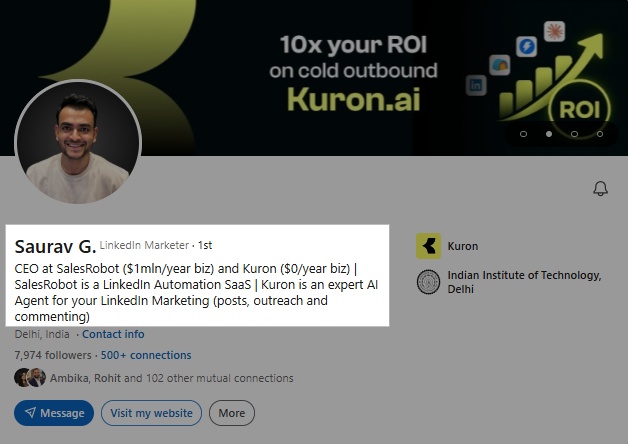
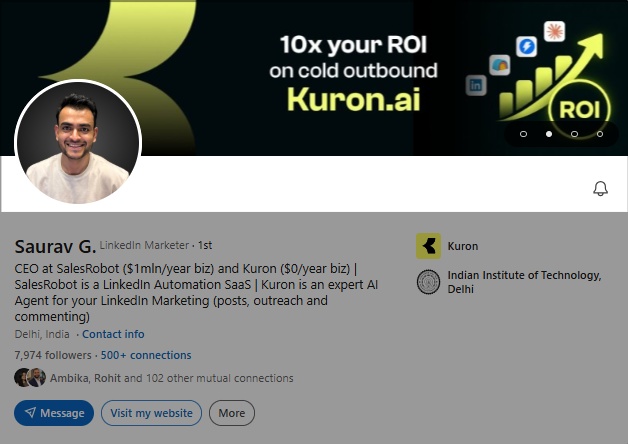
- Banner: Use it. It’s free visual real estate and almost everyone leaves it blank.
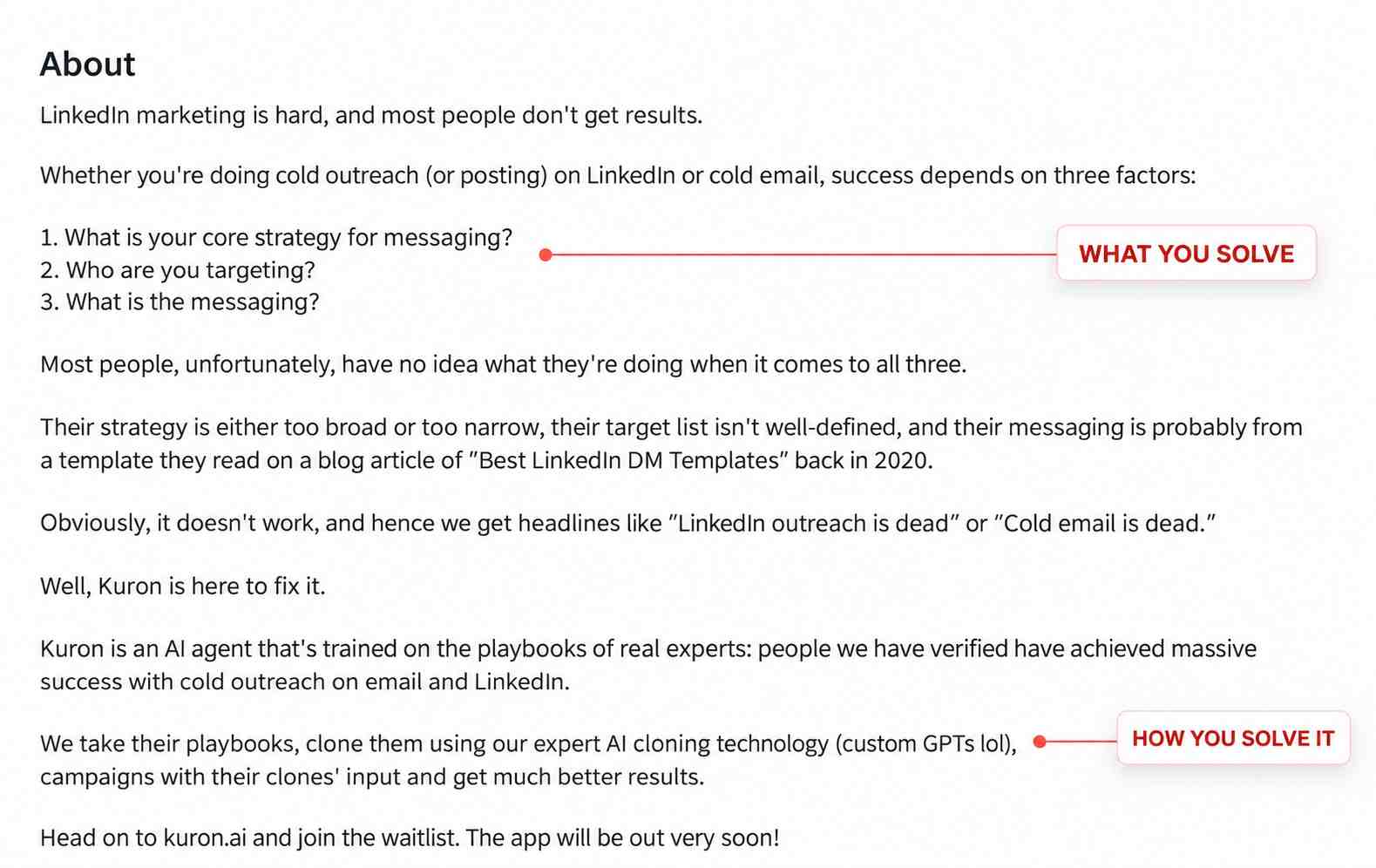
- About section: Write it for the buyer, not the recruiter. What problem do you solve? Who do you solve it for? What results have you driven?
- Featured section: Add a case study, a testimonial, or a results-focused post. Let social proof do the talking.
- Profile photo: Professional, clear, trustworthy. People buy from people they feel they can trust.
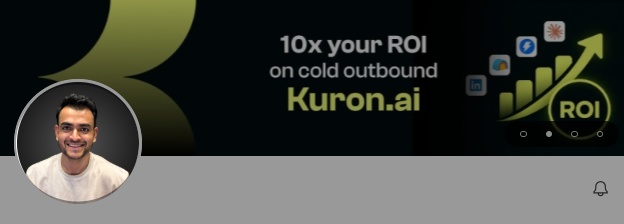
SalesRobot has a free LinkedIn Headline Generator that takes 60 seconds.
Practice #2: Define Your ICP Before You Send Anything
If you’re reaching out to everyone, you’re reaching out to no one.
Your Ideal Customer Profile (ICP) is the specific combination of company type, size, geography, and job title that describes your best-fit buyer.
Without it, acceptance rates stay low, reply rates stay lower, and LinkedIn’s algorithm starts flagging your account for poor engagement signals.
Here’s how to lock it in:
- Use LinkedIn Search or Sales Navigator to filter by job title, industry, company size, and location
- Use Boolean search to combine and exclude terms. For example: (“VP Sales” OR “Head of Sales”) AND “SaaS” NOT “Recruiting”
- Build a separate campaign for each persona. Don’t mix founders and SDRs in the same sequence.
Once you have your ICP search URL from LinkedIn or Sales Navigator, you can paste it directly into SalesRobot and it auto-imports the entire lead list.
The full LinkedIn prospecting guide covers persona-building in depth.
Practice #3: Send Blank Connection Requests
This one surprises people.
The data in 2026 is clear: blank connection requests consistently outperform personalized notes for cold outreach.
A personalized note in a connection request signals “I want something from you.” A blank request feels like natural networking. Someone sees your name, checks your profile, and decides whether to connect based on what they find there.
This is exactly why Practice #1 matters so much. Your profile does the selling at this stage.
Save your best copy for the first DM after they accept. That’s where personalization actually converts. The LinkedIn outreach guide has the message frameworks that work once you’re connected.
Practice #4: Warm Up Your Account Before You Scale
LinkedIn’s 2026 weekly limit is 100-150 connection requests.
Jump straight to max volume from a cold account and LinkedIn flags it for suspicious activity. The result is restrictions, warnings, or a full account block. None of those are fun to deal with.
Start slow and ramp up:
- Days 1-3: 10 requests/day
- Days 4-6: 15 requests/day
- Days 7-9: 20 requests/day
- Days 10+: 25 requests/day
Also keep an eye on your acceptance rate. If fewer than 40% of people are accepting your requests, slow down and reassess your targeting or profile before pushing forward.
SalesRobot’s account warm-up feature handles this pacing automatically. It also auto-accepts incoming connection requests and auto-connects with LinkedIn-recommended profiles to keep your activity looking natural. Read more about LinkedIn’s connection limits before you start scaling.
Practice #5: Engage With Prospect Content Before You Reach Out
Cold connection = lower acceptance rate. Familiar face = higher acceptance rate.
When you like someone’s post, comment on their content, or follow their profile before sending a request, you go from being a stranger to someone they vaguely recognise. That shift matters more than people expect.
The sequence that works:
👉 View their profile → Like their most recent post → Leave a genuine comment → Send the connection request
One important note: don’t leave generic comments like “Great insight!” That reads as automated and does more harm than good. Reference something specific from the post.
SalesRobot can auto-like and auto-comment on prospect posts as part of your campaign sequence, so you’re warming up hundreds of prospects at once without spending your mornings scrolling LinkedIn manually.
Practice #6: Build Multi-Step Sequences, Not Single Messages
One message gets ignored. 60-70% of your results come from follow-ups.
Multi-step sequences with 2-3 follow-ups push reply rates to 20-30%+. A single message alone gets you somewhere around 5%. The math makes the case for sequences pretty clearly.
A sequence that works in 2026:
- Day 1: Connection request (blank)
- Day 3 (after accepting): First message. Short, specific, no pitch. Reference something real about them.
- Day 6: Follow-up #1. Add a piece of value, a resource, insight, or relevant case study.
- Day 10: Follow-up #2. Soft close. “Worth a quick chat?” One sentence is enough.
Space follow-ups 3-5 business days apart and stop at 4-5 touches. Past that, you’re damaging the relationship rather than building it.
SalesRobot’s drip campaigns support 15+ LinkedIn actions with smart conditions, and they auto-pause the moment a prospect replies so you never talk over a live conversation. Browse proven LinkedIn message templates to build your sequence from.
Start your 14-day free trial → and build your first sequence in under 3 minutes with SalesGPT.
Practice #7: Keep Your Messages Short
Nobody reads a wall of text from a stranger.
The rule in 2026: under 75 words for your first DM. Under 50 is better. The formula is simple:
- One line of context why you’re reaching out, specific not generic
- One pain point something they likely feel
- One question an invitation to reply, not a pitch
No “I’d love to jump on a call.” No five-paragraph company overview. No list of services. Start a conversation, not a presentation.
SalesRobot’s SalesGPT campaign builder generates short, high-converting sequences for your specific ICP. Answer a few questions about your buyer and it writes the sequence for you. It also calculates the predicted response rate of your message before you send it.
Practice #8: Use LinkedIn Groups and Events to Find Pre-Warmed Leads
LinkedIn Groups and Events are underused for B2B prospecting in 2026.
People self-select into groups and events based on their interests and role. That means they’re already pre-qualified. You also share context with them, which makes your opening message instantly warmer than a cold approach from a generic search list.
What to do:
- Join groups where your ICP is active. Think industry associations, role-specific communities, niche SaaS groups.
- Find LinkedIn Events relevant to your niche and pull the attendee list.
- Use the shared context in your outreach: “Saw you registered for [Event name]...”
SalesRobot imports LinkedIn group members and event attendees directly as prospect lists, so you can run a targeted campaign to a pre-warmed audience in a few clicks.
Practice #9: Scrape Post Commenters for Your Warmest Audience
When someone comments on a post, whether it’s a competitor’s, an influencer’s, or an industry publication’s, they’re publicly signaling their interest. They’re warm by definition. Engaged. And very few B2B sales teams go after them.
Here’s how it works:
- Find a high-engagement post from your niche. A competitor announcement, a hot discussion thread, a popular how-to.
- Pull everyone who liked or commented as your targeting list.
- Reference the post in your outreach: “Noticed you engaged with [post about X]...”
Real result: Albert Nam ran SalesRobot’s post-comment scraping feature and hit 649 connection requests, 56% acceptance rate, 35% reply rate, for 6-7 months straight, with zero bans.
SalesRobot fetches everyone who liked or commented on any LinkedIn post and adds them to your campaign automatically. Pair it with the right sequence from the LinkedIn outreach guide.
Practice #10: Send Voice Messages and Video to Stand Out
Text DMs are the default. Voice and video are not. That gap is your advantage.
Voice messages get 40%+ reply rates when done right. A voice in someone’s LinkedIn inbox is unexpected. It sounds human and builds trust in a way that text simply can’t. Prospects know a voice note takes actual effort, which is exactly why they respond.
A few things that make voice outreach work:
- Keep it under 60 seconds
- Open with their name and something specific about them
- Sound like you’re leaving a voicemail for a colleague, not reading a script
- Don’t pitch. Start a conversation.
SalesRobot’s AI Voice Clone lets you record your voice once just 30 seconds and then sends a personalized voice message to every prospect on your list with their name and context baked in. The AI Video Clone does the same for video. The full setup is in the LinkedIn voice notes guide.
Practice #11: Reply to Leads Within 5 Minutes
If you don’t reply to a LinkedIn lead within 5 minutes, your chances of converting them drop by 50%.
The problem is obvious. You can’t monitor LinkedIn around the clock. By the time you check your inbox, the lead has moved on.
SalesRobot’s AI Appointment Setter monitors your inbox, responds to leads in your brand voice, handles objections, and books meetings directly into your calendar. You train it once on your product and how you handle common questions. After that it runs on its own.
You just show up to the booked call.
Practice #12: Go Multi-Channel LinkedIn and Email Together
LinkedIn alone has limits. Weekly caps on connection requests. Prospects who go quiet after connecting. People who prefer email for longer conversations.
Layering email into the same sequence fixes this. Omnichannel campaigns LinkedIn combined with email drive 287% higher purchase rates than single-channel outreach. More touchpoints across more channels means more familiarity and more trust.
A simple way to think about it:
- LinkedIn handles the warm intro and short messages
- Email handles follow-ups, case studies, proposals, anything longer-form
SalesRobot runs LinkedIn and email outreach from the same campaign dashboard, so your prospect gets a coordinated sequence across both channels. More on the approach in the multichannel cold outreach guide.
Running outreach for multiple clients? SalesRobot’s white-label program lets agencies offer all of this under their own brand. 110+ agencies already do.
Bonus: Connect SalesRobot to Claude via MCP
If you’re already using Claude, this is worth five minutes of setup.
SalesRobot has a native MCP server that connects directly to Claude. Once connected, you can create campaigns, import prospects, manage your inbox, and build sequences from a single chat conversation no dashboard switching required.
How to connect on claude.ai:
- Go to Settings → Connectors
- Click Add custom connector
- Enter https://mcp.salesrobot.co
- Save. Claude opens the SalesRobot authorization page.
- Paste your API key (SalesRobot → Settings → Admin Settings → API Key) and click Connect.
Works on Claude Pro, Max, Team, or Enterprise. No installation required.
Wrapping It Up
LinkedIn is the highest-ROI B2B sales channel in 2026. But it rewards systems, not one-off blasts.
Here’s the short version of what works:
✅ Build a profile that converts before you say a word
✅ Define your ICP and go after the right people
✅ Send blank requests, warm up your account, engage before you reach out
✅ Sequence everything follow-ups are where deals get made
✅ Use voice and video where text gets ignored
✅ Let AI handle replies and bookings so you never miss the 5-minute window
✅ Layer in email for the full multi-channel stack
If you want to run all of this without doing it manually, SalesRobot’s 14-day free trial is the fastest way to see what a proper LinkedIn outreach system looks like.
76% of free trial users get their first lead within 2 days.

Wow your leads by cloning yourself and sending personalized videos and voice notes to each lead on LinkedIn.
If you don't reply to leads within 5 mins, your chances of converting them fall by 50%. Our AI replies on your behalf instantly! (and yes, you can train it)

Don't shoot in the dark. Get detailed analytics on what's working
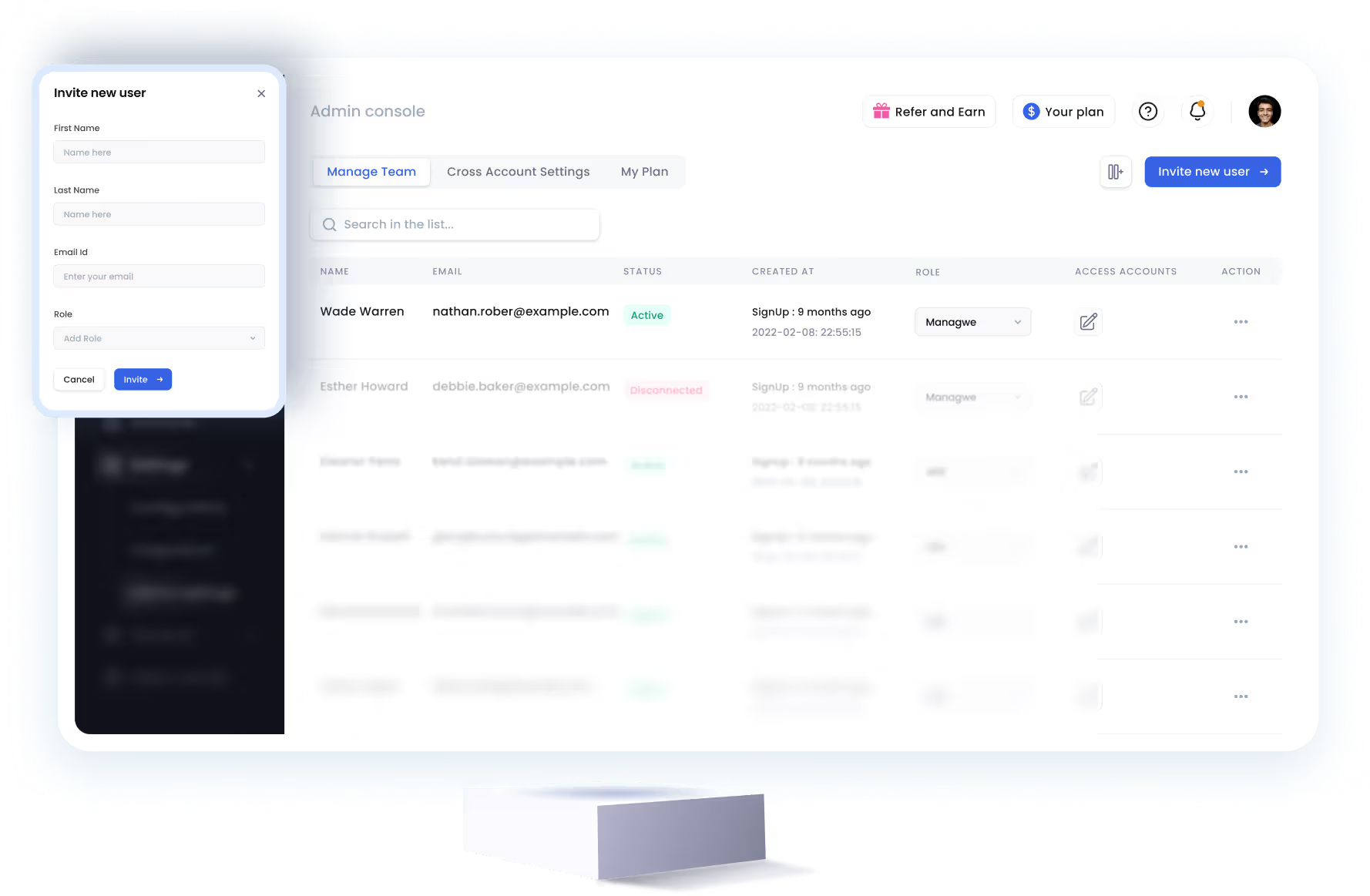
SalesRobot allows you to invite other team members, so that they can add their LinkedIn Account, run outreach campaigns and get amazing results just like you.


Trusted by 4100+ innovative B2B sales teams and lead gen agencies







Heading 1
Heading 2
Heading 3
Heading 4
Heading 5
Heading 6
Lorem ipsum dolor sit amet, consectetur adipiscing elit, sed do eiusmod tempor incididunt ut labore et dolore magna aliqua. Ut enim ad minim veniam, quis nostrud exercitation ullamco laboris nisi ut aliquip ex ea commodo consequat. Duis aute irure dolor in reprehenderit in voluptate velit esse cillum dolore eu fugiat nulla pariatur.
Block quote
Ordered list
- Item 1
- Item 2
- Item 3
Unordered list
- Item A
- Item B
- Item C
Bold text
Emphasis

Superscript
Subscript