.avif)
TL;DR
If you're looking for a LinkedIn automation tool in 2026, there are really two things you need to care about: how much it costs and how much risk it puts on your LinkedIn account.
- The 9 best LinkedIn automation tools for B2B lead generation in 2026 fall pretty neatly into those two categories: price and safety. And the way a tool is built plays a big role in both. Browser extensions have roughly 60% higher detection risk than cloud-based tools.
- Cloud and mobile-API tools are generally the safer option. Fewer than 1% of API-based tool users face permanent bans, compared with more than 10% of scraper users.
- SalesRobot is the only cloud tool on this list starting at $59/month while also reporting basically zero bans under Safe Mode. Other safe cloud options cost more, including Expandi at $99/seat and HeyReach at $79/sender.
- The cheapest options are Octopus CRM at $9.99/month and Dux-Soup at $14.99/month. Both are browser extensions, which means you're saving money but taking on more account risk. Cheap is great. A restricted LinkedIn account is considerably less great.
- No automation tool can magically give you unlimited connection requests. LinkedIn caps connection requests at roughly 100 per rolling 7-day window for most accounts, with accounts that have an SSI of 70+ able to reach up to 200 per week.
- If you want safe cloud-based multichannel outreach, SalesRobot is the pick at $59/month. If price is the main thing you care about, Octopus CRM is the cheapest option, but you have to be comfortable with the higher account risk.
👉 Skip the guesswork with SalesRobot, which runs LinkedIn + email outreach through mobile API technology with AI personalization. Try it free for 14 days
Ever Chosen a LinkedIn Automation Tool and Watched Your Account Get Restricted Two Weeks Later?
You pick the cheapest tool. You load 500 leads. You hit "start."
And then, two weeks later, LinkedIn starts waving a giant red flag at your account and your pipeline suddenly goes very, very quiet.
Not ideal.

Most people pick LinkedIn automation tools based on price or fancy feature lists. But how the tool works behind the scenes matters far more.
LinkedIn’s April 2025 crackdown specifically targeted tools using cookies and session imitation, proving that harmless-looking options can carry the highest risk.
Instead of another generic "top tools" list, we evaluate price and safety together.
Because "best" means nothing if your account gets banned.

The Two Things That Matter Most: Price and Safety
Here's the simplest way to understand the tools on this list.
The way a tool is built has a huge impact on both its price and its account risk.
Cloud tools run the automation from a server instead of relying on your browser being open. They generally look more like normal LinkedIn activity and can keep running without your computer being switched on.
That does make them more expensive to operate, which is why they usually cost more.
Browser extensions work through your own browser session and IP address. They're cheaper to build and cheaper for you to buy, but the downside is that more of the risk sits with your account.
Desktop apps fall somewhere in the middle. They're generally less risky than browser extensions, but your computer needs to stay on while the automation is running.
Here's the simple version:
There's another limit worth knowing about, because no automation tool can negotiate with LinkedIn on your behalf.
LinkedIn caps connection requests at roughly 100 invitations per rolling 7-day window in 2026. That applies across free, Premium, and Sales Navigator accounts. Accounts with an SSI of 70+ can reach up to 200 per week, while accounts under SSI 50 often get capped at 80 or fewer.
And no, paying $99 instead of $10 doesn't buy you another 100 invites.
Sadly, LinkedIn has not introduced the "please take my money and give me more connection requests" plan.
⚠️There's also an important caveat that gets left out of a lot of these comparisons: No tool makes you immune to restrictions.
Your behavior still matters.
Sending 50 generic "I'd love to connect!" requests every day is going to look suspicious regardless of which tool is clicking the button.
Sending 20–30 targeted requests with natural timing looks much more like normal user activity.
The tool matters. What you make it do matters more.
Quick Comparison: 9 LinkedIn Automation Tools by Price and Safety (2026)
Here's the whole list at a glance, starting with the safer cloud-based options and moving toward the cheaper, riskier browser extensions.
1. SalesRobot: Cloud + Mobile API, AI Personalization, Multichannel at $59/mo

Full disclosure: we're the people behind this blog, so yes, SalesRobot is taking the number one spot. You should absolutely keep that bias in mind 😂
That said, we DO have valid reasons why it lands here when you look specifically at price and safety.
SalesRobot is the only cloud/mobile-API tool on this list that starts at $59/month. Getting safer cloud architecture and a relatively low price in the same product isn't particularly common.
What it does: SalesRobot automates LinkedIn outreach and cold email from one platform. It uses cloud and mobile-API technology, offers AI personalization, and includes appointment-setting functionality.
What makes it stand out: The main selling point is the way the platform handles safety.
SalesRobot uses mobile API technology designed to mimic human behavior, including randomized delays, human-like limits of up to 200 connection requests per week, and residential IP rotation.
Because it's cloud-based, it can run 24/7 without you having to leave your browser open.
Then there's the personalization side.
It can send customized voice and video notes to your prospects, and as you know, they get FAR better reply rates than mere texts.
The AI Variables feature pulls information from a prospect's LinkedIn data and uses it to personalize messages automatically. So instead of sending 300 people the same "Hey, I'd love to connect!" message, you can reference something specific to each person.
The AI Appointment Setter takes over after a prospect replies, handles qualification questions, and books meetings without manual involvement.
SalesRobot also automates LinkedIn outreach + email sequences with AI personalization, auto-follows up until meetings are booked, and integrates with Zapier via webhooks + direct CRM connections.
While SalesRobot is primarily a LinkedIn outreach tool, it also has dedicated email capabilities and is ideal for multichannel outreach.
Worth knowing: It has a 4.8 rating on G2 from 57+ reviews; customers report zero account bans when following Safe Mode guidelines, and average reply rates are reported at 55%, with a 66% top case study from The Growth Agency.
Pricing (per LinkedIn account, 14-day free trial, no credit card required):
- Basic: $59/month ($39/month billed annually)
- Advanced: $79/month ($59/month billed annually)
- Professional: $99/month ($79/month billed annually)
- Enterprise: Custom
- Email outreach add-on: $15/month per account
Best if: You want cloud-based automation that focuses on safety, you want LinkedIn and email in the same campaign, or you're an agency managing 50+ accounts.
2. Dripify: Clean Cloud Platform With a Safety Algorithm

Dripify is a straightforward cloud option with a built-in safety algorithm and a clean campaign builder.
What it does: It runs automated LinkedIn sequences from the cloud and includes safeguards around sending limits.
What makes it stand out: The sequence builder is polished and the analytics dashboard is genuinely easy to get started with.
You don't need to spend three hours figuring out where everything lives before you can launch a campaign, which is always a nice quality in software.
Worth knowing: The platform costs the same as SalesRobot, but lacks many features such as AI Variables, appointment setting, and voice and video notes.
The difference is mainly what you're getting for the money. SalesRobot puts more emphasis on AI personalization and multichannel outreach, while Dripify is more focused on making LinkedIn outreach extremely simple.
Pricing: Basic starts at $59/month, Pro costs $79/month when billed monthly, or $59/month when billed annually. There's a 7-day free trial with no credit card required.
Best if: You want a straightforward cloud tool for LinkedIn and don't need email outreach built into the same platform.
3. HeyReach: Agency Multi-Sender With Dedicated Residential Proxy per Seat

HeyReach is designed with agencies in mind, especially agencies managing a lot of LinkedIn sender accounts at once.
What it does: It lets you manage multiple LinkedIn sender accounts from one dashboard, with proxy isolation between them.
What makes it stand out: On the Growth plan, each sender gets a dedicated residential proxy.
For agencies running a large number of accounts, that separation can be an important part of keeping things organized and safer.
Worth knowing: HeyReach is LinkedIn-focused and doesn't include native email.
The pricing also scales with the number of senders, so the bill can grow pretty quickly once you're managing lots of accounts.
If you want multichannel outreach and multiple accounts in the same setup, SalesRobot's agency offering covers more ground, including 50–100+ accounts from one login and a white-label resell program.
Pricing: From $79/sender/month on Growth.
Best if: You're a pure-LinkedIn agency and want dedicated residential proxy isolation for each sender.
4. Expandi: Dedicated IP, Conservative Limits, Premium Price

Expandi has been one of the long-standing safety-focused cloud options, with dedicated IPs and conservative pacing.
What it does: It runs LinkedIn campaigns in the cloud, giving each user a dedicated IP and using randomized delays.
What makes it stand out: You get dedicated IPs, smart limits, and a mature feature set designed for warmed accounts.
Worth knowing: Expandi makes the most sense if account safety and a more established platform matter more to you than getting the lowest possible price.
The tradeoff is pretty straightforward: you're paying a premium for those features. At $99/seat, it's the most expensive per-seat option on this list, so it may be more than you need if you're just getting started with LinkedIn automation.
Pricing: Starting at $99/seat.
Best if: You want a dedicated IP and are happy to pay more for a mature platform.
5. La Growth Machine: Multichannel Cloud, European Favorite

La Growth Machine is a cloud-based multichannel tool that's particularly popular with European teams.
What it does: It automates outreach across LinkedIn, email, and X/Twitter from a single workflow.
What makes it stand out: It offers genuine multichannel sequencing and has a strong following among teams in European markets.
Worth knowing: The X/Twitter channel is probably a fairly niche benefit for most B2B teams. For example, you could start by connecting with someone on LinkedIn. If they don't respond, the sequence can move to email. Still nothing? You can use X as another touchpoint.
Pricing: Starting from €60/month.
Best if: You're an EU-based team and want LinkedIn, email, and X/Twitter outreach in one place.
6. We-Connect: Budget Cloud With Conservative Sending
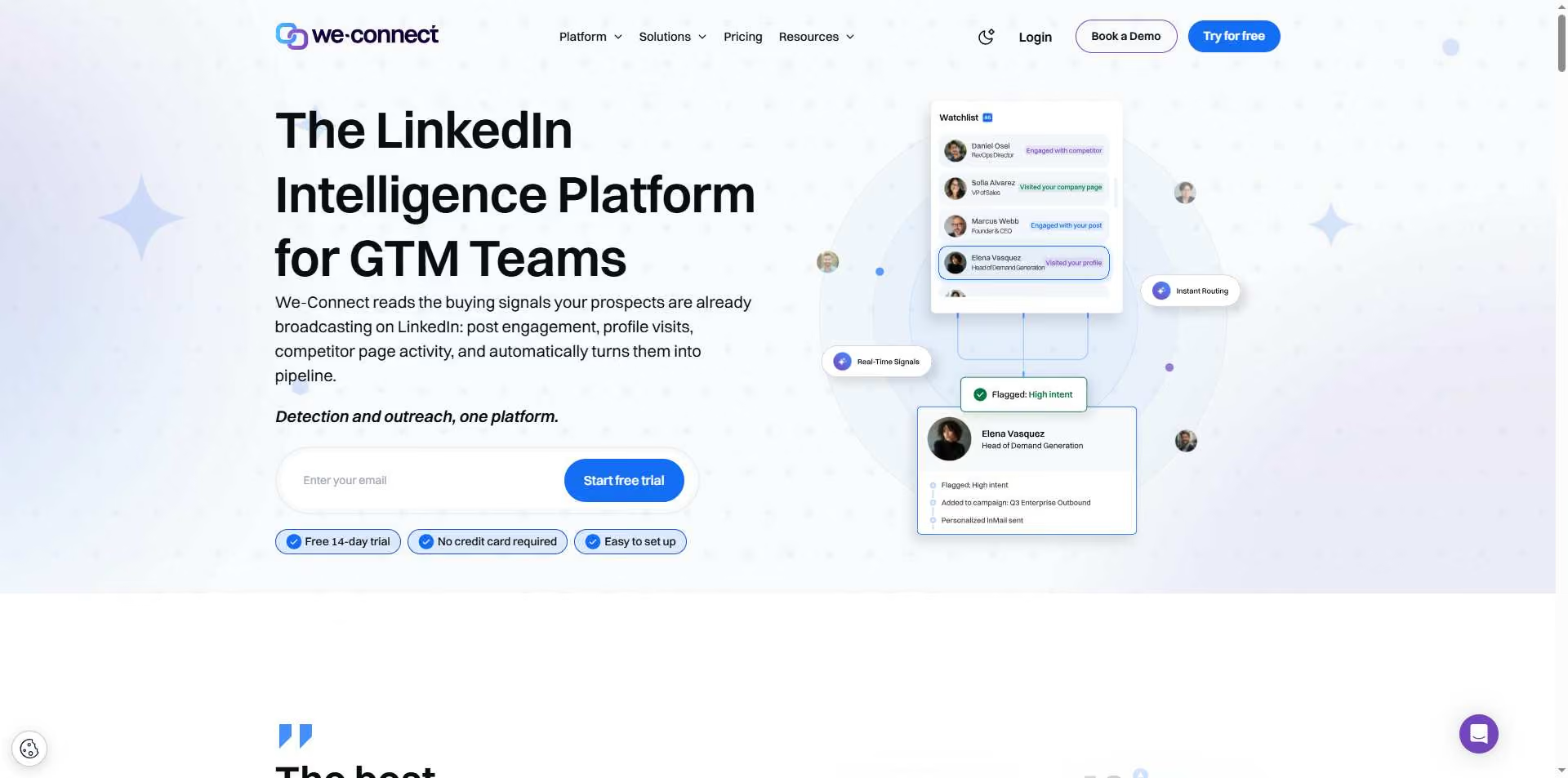
We-Connect is one of the cheapest cloud options on this list.
Its whole approach is built around keeping sending relatively cautious and safety-focused.
What it does: It runs LinkedIn campaigns in the cloud with deliberately conservative volume limits.
What makes it stand out: You get cloud-based safety without paying the prices of some of the bigger platforms.
That's a pretty useful combination if you're a solopreneur watching every software subscription.
Worth knowing: The feature set isn't as deep as the more expensive cloud tools, and there's no true multichannel drip.
Pricing: From $49/seat/month if you pay annually
Best if: You're a solopreneur who wants cloud-level safety without spending a fortune.
7. Linked Helper: Desktop App, Feature-Rich, Middle-Ground Risk

Linked Helper has been around for a long time and packs a surprising number of features into a relatively inexpensive desktop tool.
What it does: It's a feature-heavy desktop platform with a built-in CRM, drip campaigns, and auto-responses.
What makes it stand out: It's the cheapest option on this list that isn't a browser extension.
Because it's a desktop app rather than a browser extension, it carries lower risk than the extension-based tools.
Worth knowing: There's one obvious catch: your computer needs to stay on while your campaigns are running.
So if you shut your laptop and walk away thinking your campaign is happily running in the cloud, surprise. It isn't.
Pricing: Starting at $15/month for the Standard tier.
Best if: You want a lot of features for a low price and don't mind keeping your computer switched on.
8. Dux-Soup: Browser Extension With a Cloud Escape Hatch
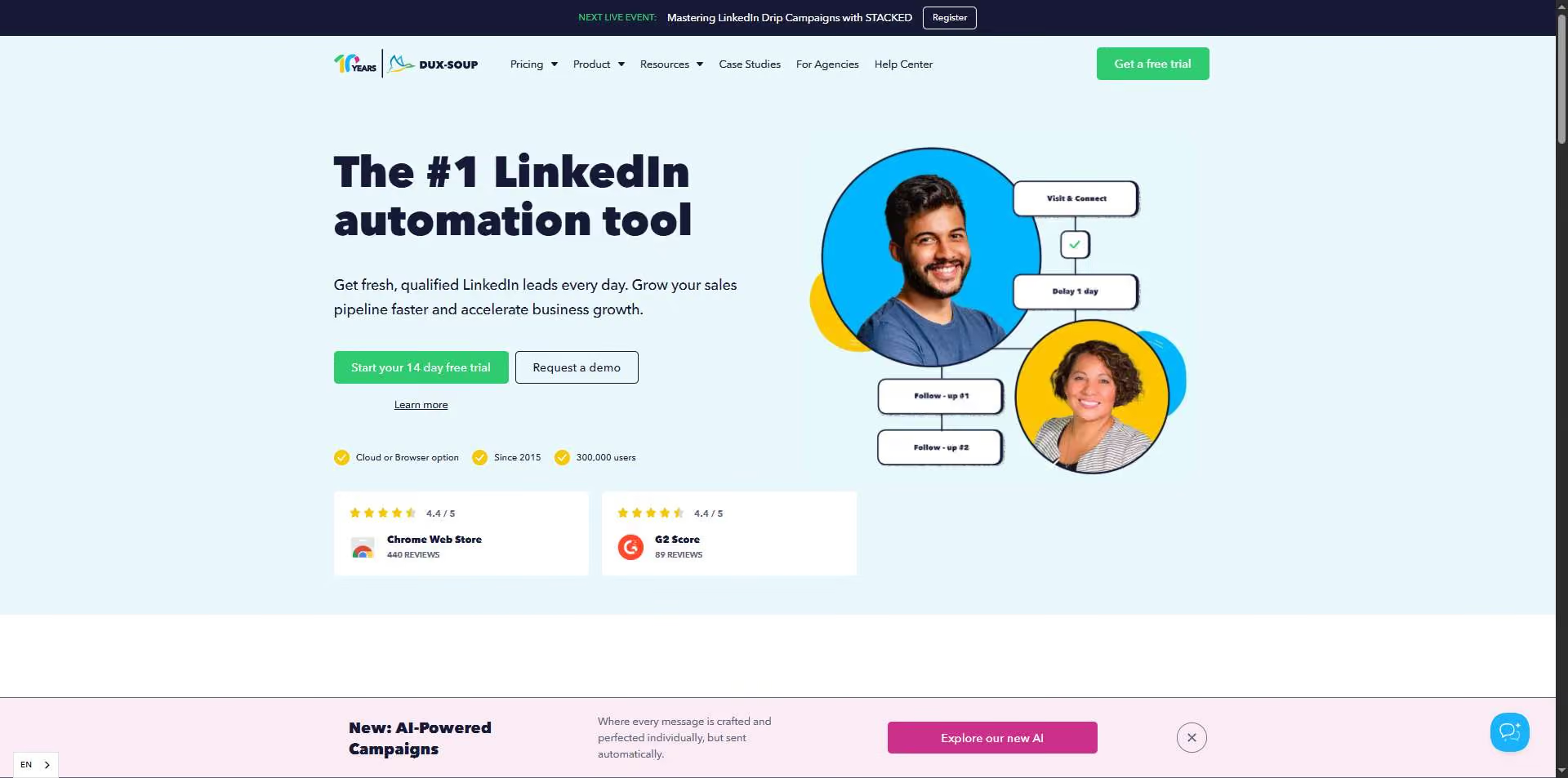
Dux-Soup is one of the oldest names in LinkedIn automation and is often where people start when they're experimenting with automation.
What it does: It's primarily a browser-extension tool that automates LinkedIn actions, although there's also a separate cloud tier.
What makes it stand out: The entry price is very low and the product has been around for a long time.
Worth knowing: The main Pro tier is a browser extension, which means it requires your computer to stay on.
It also carries a higher detection risk because browser automation is easier for LinkedIn to identify. There is a cloud tier, but once you move to that option, the price goes up and some of the original price advantage disappears.
Pricing: Pro starts at $14.99/month, or $11.25/month when billed annually.
There's a 14-day free trial with no credit card required.
Best if: You want an inexpensive way to experiment with automation before committing to a cloud platform.
9. Octopus CRM: Cheapest Entry Point, Highest Relative Risk
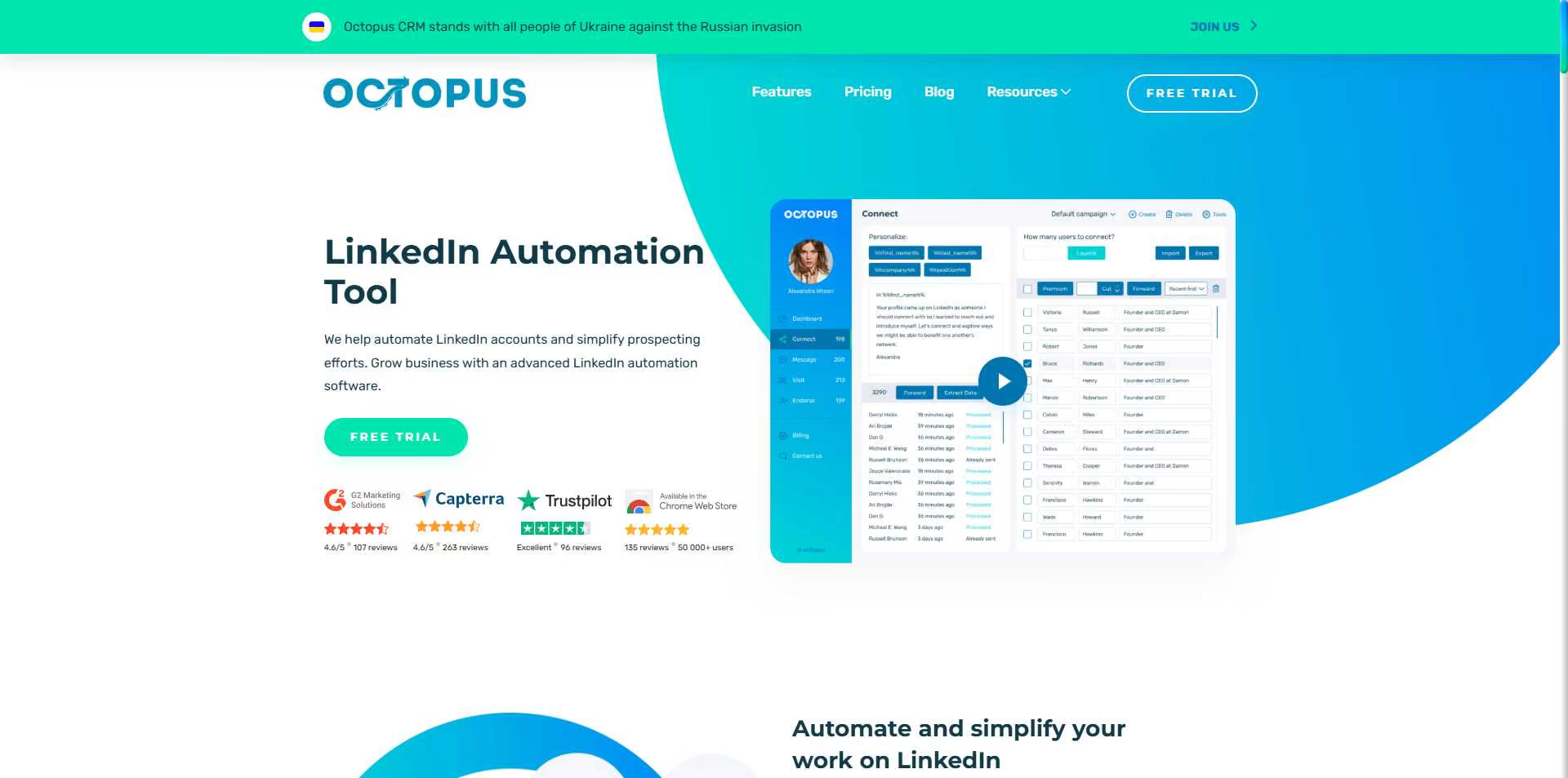
Octopus CRM is the cheapest tool on this list.
It is also the one where you're making the biggest tradeoff on account safety.
What it does: It's a Chrome extension that automates LinkedIn connections, messages, and simple funnels.
What makes it stand out: It's the lowest-priced tool on this entire list and includes a simple funnel builder.
Worth knowing: The Chrome extension setup gives it the highest detection risk in this roundup.
It's reasonable for very low-volume, highly targeted outreach from a secondary or test account, but it's not the tool we'd choose for scaling a primary LinkedIn account.
Pricing: From $9.99/month when billed monthly, or $6.99/month when billed annually.
Best if: Budget is your only filter and you're comfortable accepting the account risk on a low-stakes account.
How SalesRobot Handles the Price-vs-Safety Tradeoff
Most tools make you choose.
You either pay more for safer cloud-based automation, or you save money with a browser extension and accept more risk.
SalesRobot is designed to reduce that tradeoff.
The safety comes from the way the platform is built, not just from a marketing claim.
SalesRobot uses mobile API technology designed to mimic human behavior, including randomized delays, human-like limits of up to 200 connection requests per week, and residential IP rotation.
Because it runs in the cloud, it can operate 24/7 without requiring you to leave your browser open.
Customers report zero account bans when following Safe Mode guidelines.
Basically, it's doing the opposite of a browser extension that sends traffic through your own login session.
Then there's personalization.
SalesRobot's AI Variables automatically pull information from a prospect's LinkedIn profile, including recent job changes, company news, and shared connections, and use that information to create more personalized messages.
And SalesRobot isn't limited to LinkedIn.
Its multichannel drips can start on LinkedIn and automatically move to email when a prospect doesn't respond.
There's also an AI Appointment Setter that can qualify replies and book meetings.
💡One more thing worth watching: the team behind SalesRobot is also building Kuron, your AI GTM agent.
It's designed to go beyond automating outreach by helping you identify ideal customers, choose the right strategy, and run the outbound process.
👉 If you want to see whether the safer, lower-cost side of this comparison works for you, try SalesRobot free for 14 days
Which LinkedIn Automation Tool Should You Actually Pick?
There's no universal "best" tool.
Instead, match the tool to what you're actually trying to do.
- Want the safest architecture at the lowest price? Pick SalesRobot. It's the only cloud/mobile-API tool here starting at $59/month, with zero reported bans under Safe Mode.
- Budget is your only filter and you're willing to accept the account risk? Pick Octopus CRM at $9.99/month and use it on a low-stakes account.
- Running an agency with 50+ LinkedIn accounts? Pick SalesRobot for 50–100+ accounts from one login and its whitelabel resell program. Or choose HeyReach if you specifically want a dedicated residential proxy for each sender and don't need email.
- Need true multichannel outreach across LinkedIn and email? Pick SalesRobot, which can automatically switch to email when someone doesn't respond on LinkedIn.
- You're an EU team that wants LinkedIn, email, and X together? La Growth Machine is the better fit.
- You're a solopreneur on a tight budget but still want cloud-based safety? We-Connect starts at $49/seat/month.
Frequently Asked Questions
Are LinkedIn automation tools still effective for lead generation in 2026?
Yes.
Cloud and mobile-API tools remain effective in 2026 because they are designed to mimic human behavior and stay under LinkedIn's radar.
The bigger change is that successful outreach now depends much more on personalization and pacing than sheer volume.
SalesRobot users report an average 55% reply rate by combining safer automation with AI-personalized messaging.
How many LinkedIn connection requests can you send per day?
LinkedIn caps invitations at roughly 100 per rolling 7-day window in 2026.
That works out to a safer pace of around 15–25 requests per day on a warmed account.
Accounts with an SSI of 70+ can reach up to 200 per week, while newer accounts can be throttled to 20–50 requests until their account health improves.
Is LinkedIn automation safe?
It depends on the tool you're using and how you're using it.
Cloud and mobile-API tools see fewer than 1% permanent bans, compared with more than 10% for scrapers.
But no tool is completely risk-free.
You can still trigger restrictions by behaving aggressively. Sending 20–30 targeted requests with natural timing is much safer than blasting out 50 generic requests every day.
The technology helps. Your behavior still matters.
Can you get banned for using LinkedIn automation tools?
Yes, especially with browser-extension tools that imitate your login session.
That's exactly the kind of behavior LinkedIn's April 2025 crackdown targeted.
Browser extensions carry roughly 60% higher detection risk than cloud tools.
If you want to reduce the risk, use cloud/mobile-API automation, stay around the ~100-per-week invitation limit, and personalize your messages.
What is the best LinkedIn automation tool for B2B lead generation?
That depends on what you care about most.
For safer cloud architecture at a relatively low price, plus AI personalization and multichannel outreach, SalesRobot leads at $59/month.
Agencies that want per-sender proxy isolation may prefer HeyReach.
If price is the deciding factor, Octopus CRM starts at $9.99/month, although you are accepting considerably more account risk in exchange for that lower price.
The Bottom Line on Choosing by Price and Safety

The smartest way to choose a LinkedIn automation tool in 2026 is to look at price and safety together.
The two are closely tied to how the tool is built.
Cloud and mobile-API tools are generally the safer side of the market. Browser extensions are the cheaper but riskier side.
⚠️But here's the reality check: No tool makes you immune.
Even the safest architecture can still lead to restrictions if you're sending 50 generic connection requests every day. Your behavior still matters more than the logo on the dashboard.
If you want the relatively rare combination of cloud/mobile-API architecture, AI personalization, and multichannel LinkedIn-plus-email outreach at a low starting price, SalesRobot is where the comparison lands.
It's used by 4,100+ B2B teams, has a 4.8 rating on G2, reports zero bans under Safe Mode, and starts at $59/month.
👉 See how it fits your own pipeline: try SalesRobot free for 14 days, with no credit card required

Wow your leads by cloning yourself and sending personalized videos and voice notes to each lead on LinkedIn.
If you don't reply to leads within 5 mins, your chances of converting them fall by 50%. Our AI replies on your behalf instantly! (and yes, you can train it)

Don't shoot in the dark. Get detailed analytics on what's working

SalesRobot allows you to invite other team members, so that they can add their LinkedIn Account, run outreach campaigns and get amazing results just like you.
.avif)


Trusted by 4100+ innovative B2B sales teams and lead gen agencies

.avif)

.avif)




.avif)


Heading 1
Heading 2
Heading 3
Heading 4
Heading 5
Heading 6
Lorem ipsum dolor sit amet, consectetur adipiscing elit, sed do eiusmod tempor incididunt ut labore et dolore magna aliqua. Ut enim ad minim veniam, quis nostrud exercitation ullamco laboris nisi ut aliquip ex ea commodo consequat. Duis aute irure dolor in reprehenderit in voluptate velit esse cillum dolore eu fugiat nulla pariatur.
Block quote
Ordered list
- Item 1
- Item 2
- Item 3
Unordered list
- Item A
- Item B
- Item C
Bold text
Emphasis

Superscript
Subscript